In brief — Client Vault Solo is a WordPress plugin that you install on your own server. Your clients deposit documents, videos, and files there; you validate; each action is timestamped and legally enforceable. No SaaS provider in the loop, no user limits, no commissions. You remain the owner of everything, by technical design.

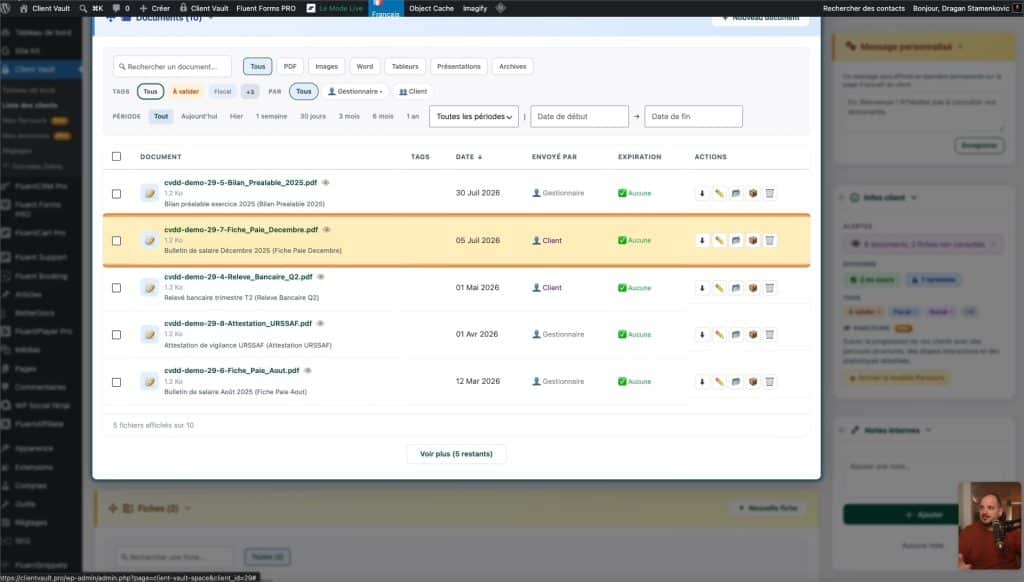
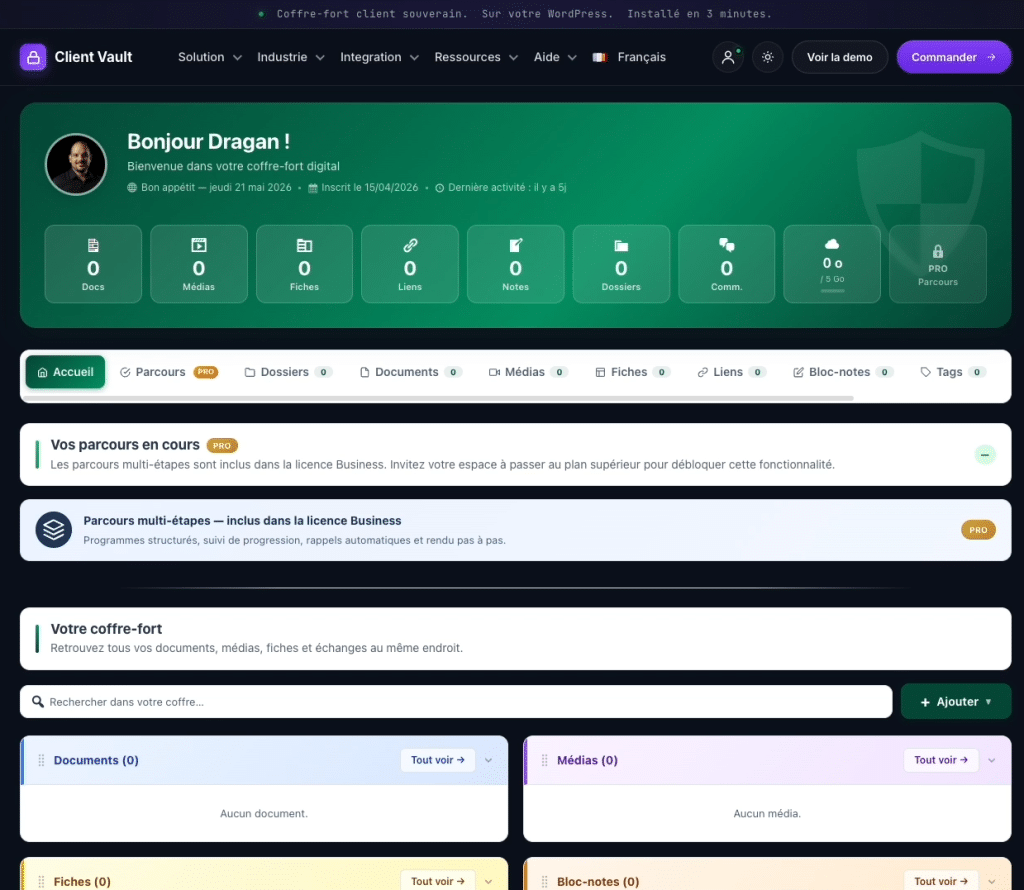
What the video concretely shows:
- The admin dashboard with its alerts in 10 seconds
- Creating a structured request for a client (“send me identification, latest payslip, passport — deadline: May 24”)
- The client side: file upload, direct video recording in the browser, YouTube integration
- Complete color customization (admin and frontend)
- One-click GDPR management (ZIP/CSV export or complete deletion)
“You sent it? I never received it” — the phrase that ruins your cases
Every professional managing client files knows the drill: you’re waiting for a document that doesn’t arrive, you follow up by email, the client swears they sent it, you search through spam, the 8 MB PDF is rejected by the server, WeTransfer expires after 7 days, and three weeks later the case deadline is compromised.
The tools most professionals use by default are not designed for this:
- WeTransfer : links expire, no trace after 7 days, zero legal proof of who sent what.
- Shared Google Drive / Dropbox : all your clients in the same space, difficult to compartmentalize access, hosting in the United States.
- Email inbox : impossible to audit, multiple copies, very low probative value in case of dispute.
The problem is not the tool. The problem is that none of these tools were designed for the professional pro ↔ client relationship in a regulated activity.
What Client Vault Solo concretely changes
The key phrase that comes up in the presentation video :
“The client cannot tell me ‘I didn’t have time to send’ or ‘you didn’t receive it’. He must use the platform \u2014 and if he has sent it, we will necessarily see it.”
The principle : a private space per client, at your URL, hosted by you, where every action is timestamped. No more gray area.
When a client deposits a document at 2:32 PM on March 18, it’s recorded in the log. When you validate it at 9:17 AM the next day, it’s also recorded. When a case exceeds the announced deadline, you see it at a glance on the dashboard. No interpretation, no « it seems to me that… ».
What you get in Solo
1. A vault per client, at the URL of your choice
You install Client Vault on your WordPress (yourfirm.fr) or on a dedicated subdomain (client-area.yourfirm.fr). Each client has their own space, totally isolated from others. The login form can be customized: custom redirection, access via silent 404 for non-clients, or deactivated in favor of the standard WordPress login.
2. Structured document requests
Instead of sending a vague email (« please send me the documents »), you create a structured request: a title, a description, the exact list of expected documents (identity document, latest payslip, passport, etc.) and a deadline. The client receives the list as a checklist and deposits each document one by one.
3. Organized files (colors, deadlines, projects)
You create thematic folders (« Invoice May 2026 », « Mr. Dupont’s Rental File ») with a color and a due date. Documents are stored there, the client sees the tree structure on their side of the space, and you see the same on the admin side.
4. Rich Media (Beyond PDFs)
Solo naturally handles PDFs, Word, Excel, PowerPoint, and images. But it goes further: your client can record a video, audio, or screen share directly from their browser, without installing any software. They can also integrate a YouTube link or an external iframe. This is practical for a coach who receives a video of a movement’s execution, an architect who receives a video of a defect on a construction site, or a photographer who receives an audio brief.
5. Complete White Label
Admin and frontend interface colors are fully customizable, from pre-designed themes or custom options. Your clients see your identity, not “Client Vault” branding. The notification email’s subject line is under your domain name.
6. Timestampped and Legally Enforceable Activity Log
All actions (deposit, validation, message, refusal, modification) are recorded in a timestampped log with Eurodating, viewable by document type and date range. This provides the probative value that email exchanges severely lack.
7. Native GDPR
At any time, you can export all of a client’s data (ZIP with all files, or CSV with metadata) or delete their WordPress account with one click — the right to data portability and the right to erasure are managed without manual intervention.
8. Multilingual with 11 Languages, Editable Inline
The plugin is translated into 11 languages. You can also directly modify the translations from the admin if a wording doesn’t suit you.
For which professions does Solo make sense ?
Solo is designed for any professional who exchanges structured documents with their clients in a context where traceability matters :
| Profession | Typical Use Case | Legal Framework Covered |
|---|---|---|
| Lawyer / Notary | Case documents, communication of acts | Art. 66-5 CPP (professional secrecy) |
| Chartered Accountant | Accounting documents, tax forms, balance sheets | Art. 226-13 CP (professional secrecy) |
| Coach / Consultant | Programs, exercises, deliverables | Client GDPR |
| Photographer / Videographer | Galleries, proofs, HD deliveries | Image rights transfer |
| Freelancer / WP agency | Deliverables, revenues, sprints | NDA, end client GDPR |
| Real Estate Agent | Diagnostics, preliminary contracts, mandates | Loi Hoguet |
| Paramedical (physiotherapist, osteopath, psychologist…) | Assessments, reports, prescriptions | Art. L. 1110-4 CSP + GDPR art. 9 |
If your activity involves receiving documents, validating them, archiving them, and proving you have received them, Solo is designed for that.
Why Solo is not a SaaS — and that’s intentional
This is the central point, and it is the direct opposite of what Coffreo, SmartVault, TaxDome or Digiposte sell.
Client Vault Solo is not hosted by us. You install the plugin on your WordPress, with the host of your choice (OVH, o2switch, Infomaniak, PlanetHoster, your dedicated server — it doesn’t matter). No client data transits through Client Vault’s servers, by technical design.
Practical consequences :
- No third-party publisher sees your data. Not a sales agent, not a Client Vault developer, nobody.
- No user limit, no commission, no billing per end-user. The price is a flat annual fee or lifetime.
- You remain the full and sole owner of the data. If Client Vault disappears tomorrow, your vault continues to run — it’s just PHP/MySQL on your server. Your data is never held hostage.
- GDPR compliance by design, not by contractual DPA promise from a foreign publisher.
For WordPress agencies reselling to their clients : Solo deploys in 3 minutes on any client WP. White labeling is complete, reselling under your identity is possible, and the absence of per-end-user licensing leaves you with healthy margins. The Pro 5-site pack (and beyond) is designed for this exact use case.
What Solo Does Not Do (The Honest Limitations)
Solo is deliberately focused on the vault and exchange. What it does not do :
- No scripted journeys (pre-defined steps, automatic milestones) → this is the purpose of Client Vault Pro.
- No integrated community (native Fluent Community, ranking, presence) → Pro.
- No automatic reminders Day+3 / Day+7 / Day+15 → Pro.
- No editable premium email templates → Pro.
- No advanced IP filtering or full access audit → Pro.
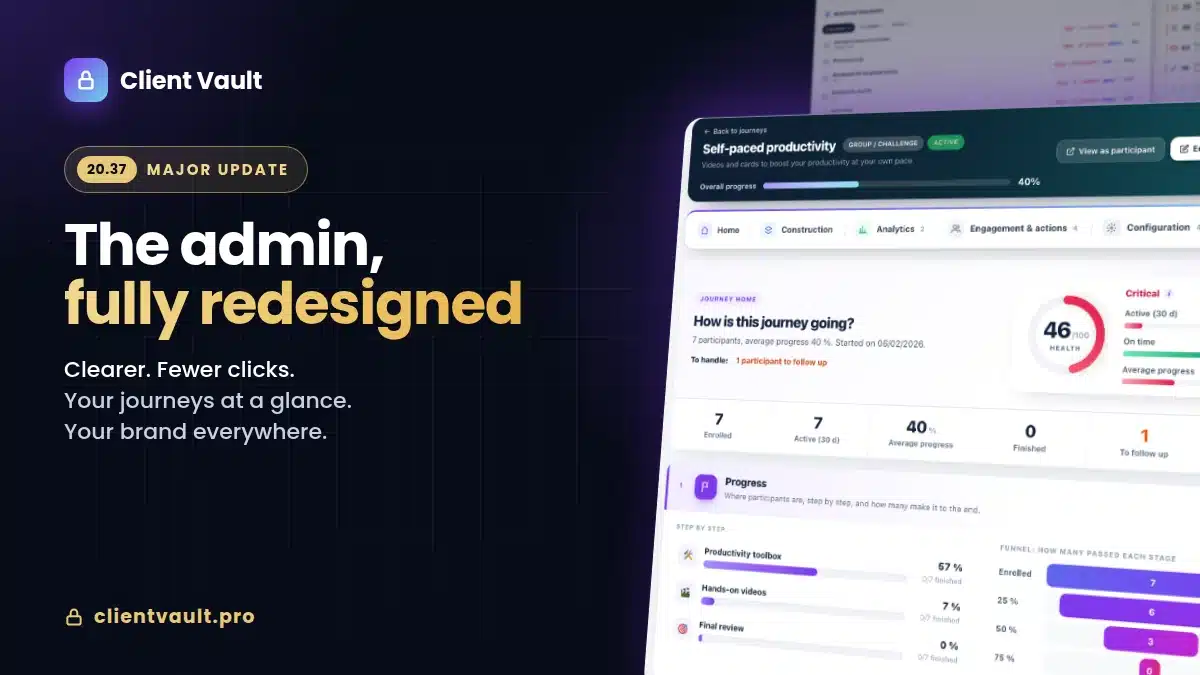
- No client health score or advanced dashboard → Pro.
If you manage about ten clients who each need a simple and enforceable deposit space, Solo covers 100 % of the need. If you want to automate a scripted 8-week onboarding process with reminders, completion tracking, and community engagement, you’ll want Pro. The switch is made by deactivating the Solo license and pasting the Pro license — no data migration.
Frequently Asked Questions
Is Client Vault Solo hosted by you ?
No. You install Client Vault Solo on your own WordPress, with the host of your choice. None of your clients’ data passes through our servers. This is the fundamental difference with Coffreo, SmartVault, Digiposte, or any SaaS.
Do my clients need a WordPress account to log in ?
Yes, but Solo handles this automatically when creating the client. Your clients receive an email with their login credentials and access their space via a login form that you can fully customize (URL, design, redirection).
How many clients can I manage with Solo ?
There is no limit. Solo does not have a per-end-user license. You pay for the plugin once (annual or lifetime) and you manage 1 or 10 000 clients at no extra cost.
Is Solo GDPR compliant ?
Yes, by design: your data is hosted on your server, you are the data controller (not Client Vault). ZIP/CSV export (right to data portability) and complete deletion of a client account (right to erasure) are available in one click.
What is the difference between Solo and Pro ?
Solo = the vault + document exchange. Pro = Solo + scripted journeys, community, automatic reminders, premium email templates, client health score, advanced audit. Both versions are compatible: you can start with Solo and switch to Pro later without data migration.
Does Solo handle videos ?
Yes. Your clients can upload videos (MP4, etc.), embed a YouTube link or an external iframe, or record a video, audio, or screen share directly from their browser — without installing any software.
Is Solo white-label ?
Yes, full white label: customizable admin and frontend colors, branding under your identity, notifications sent from your domain name. No mention of “Client Vault” visible to your end clients.
Is Solo available in multiple languages?
The plugin is natively translated into 11 languages (French, English, German, Spanish, Italian, Portuguese, Romanian, and more). You can also modify the translations from the admin area if a wording doesn’t suit you.