Client Vault is upgrading and moving to 2.0. An agency vault to pool your resources, a design revamp across all menus, a natural language activity feed, folders transformed into real workspaces, workflows that secure your validations, encrypted backups, and professional-level security. Without ever changing the founding principle: your data remains on your server, and no one else can access it.
I like to operate with transparency. Rather than a version number appearing without explanation, I prefer to show you what has changed and why. This 2.0 version brings together hundreds of developments carried out in recent weeks. To avoid a dry list, I will address each major topic one by one, explaining concretely what it brings, how it works, and what it changes for you and your clients. The article is long (the changelog even more so 🙂 ): this is intentional, as I didn’t want to underestimate any feature. This version 2.0 is MAJOR and the most significant one published since Client Vault’s launch.

The Agency Vault
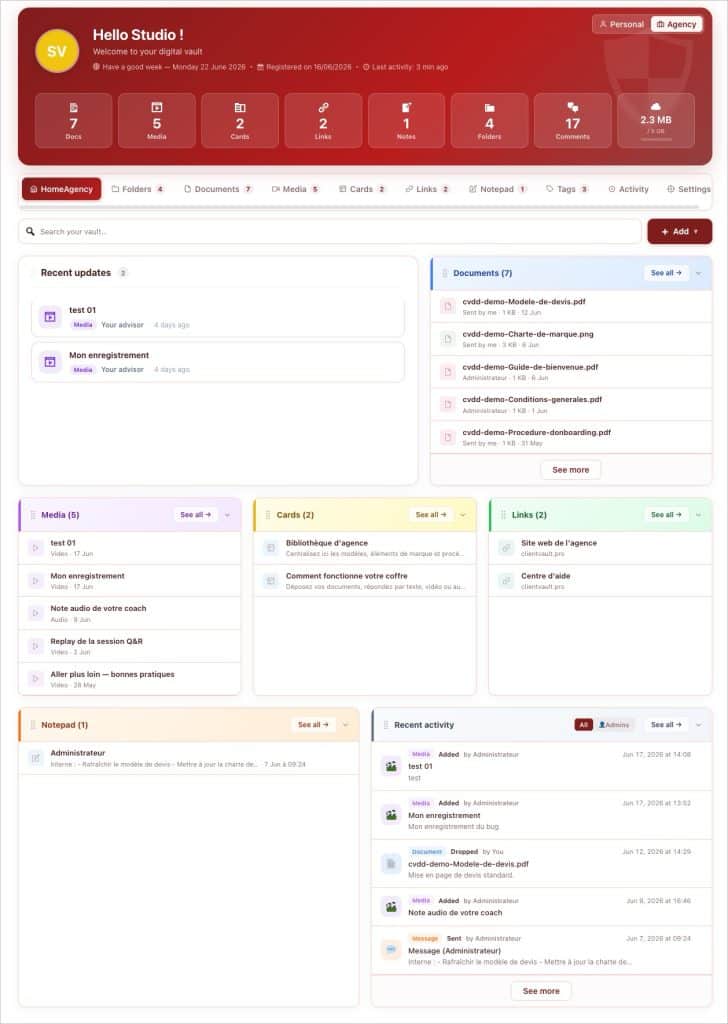
This is the major new feature of version 2.0. Until now, each vault belonged to one client. You now have an agency vault : a complete vault — documents, folders, media, cards, links, notes — that does not belong to any client. It’s your private library, visible only to administrators. Here you can store your contract templates, graphic charters, internal procedures, recurring media (anything you wish) : once deposited, they are readily available for all your clients. No more searching for a template in an old email ; it lives there, clean and organized, in the same place as everything else. Perform a task once for all your clients !
The agency vault comes with its own administration environment. A Personal ↔ Agency toggle is installed in the menu : you switch environments with a click, and everything follows — menus, data, filters, context. You never mix your internal resources with your clients’ vaults or even your personal vault. And the separation goes further : the agency has its own settings (notifications, email templates, labels, appearance), independent of your personal space.
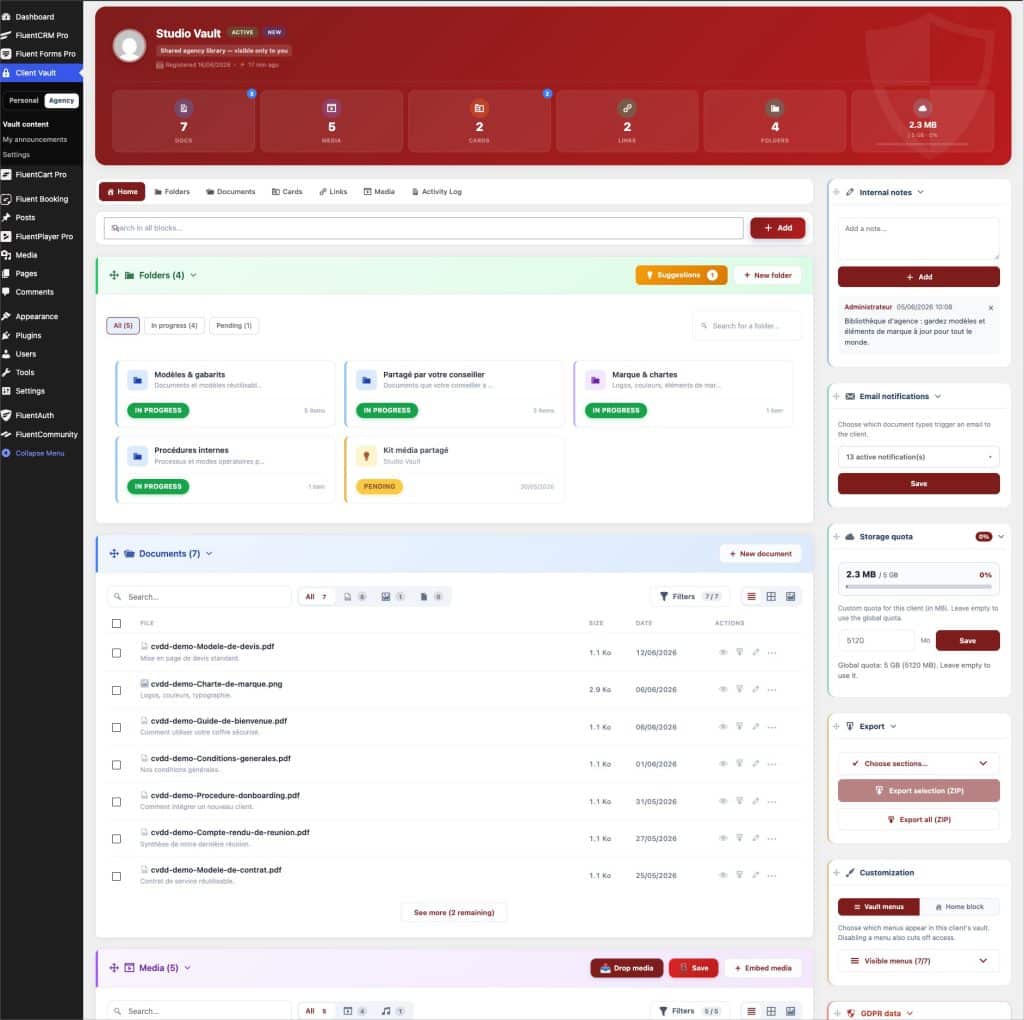
To get started without a blank slate, an agency demo can be generated with one click, and the installation wizard offers a dedicated step to name your agency and set up this initial content. The agency vault is also accessible on the front-end, with its own “My Space ↔ Agency Vault” toggle reserved for admins: you can populate and consult it like a normal vault, without any client access. For an agency serving multiple clients, this is the missing foundation: a common, clean, reusable repository from one client file to another. This feature is part of the Pro offer.
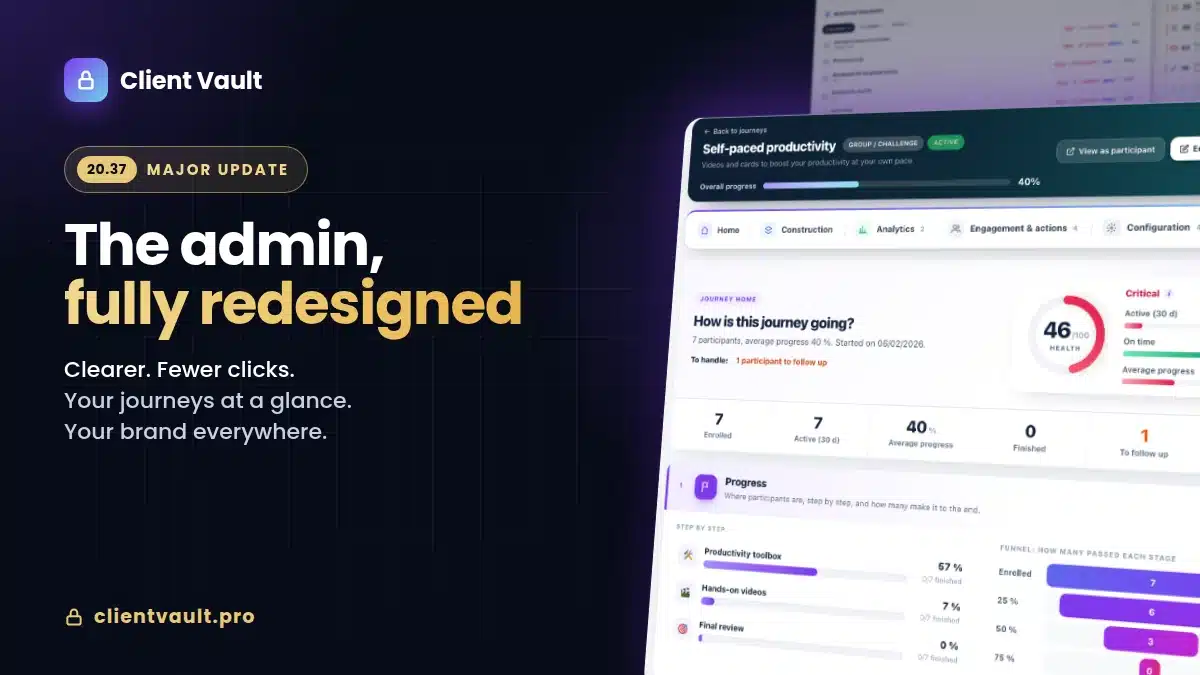
The design overhaul, across all menus
This is the most extensive project, and one that is felt with every click. Rather than describing it menu by menu, here is the common thread across all your content. Each section — documents, media, cards, links, notes — now offers three views to choose from: List, Grid, or Gallery, and the mode is remembered. Each receives a new generation filter bar : live search, filters by type, sorting, and a complete panel (tags, multiple selection folders, author, status, expiration, period), with a results counter. Editing is done inline, at the row level, without reloading. And everything opens in a unified consultation pop-up — the same preview and discussion component for a document, media, a card, a link, or a note.
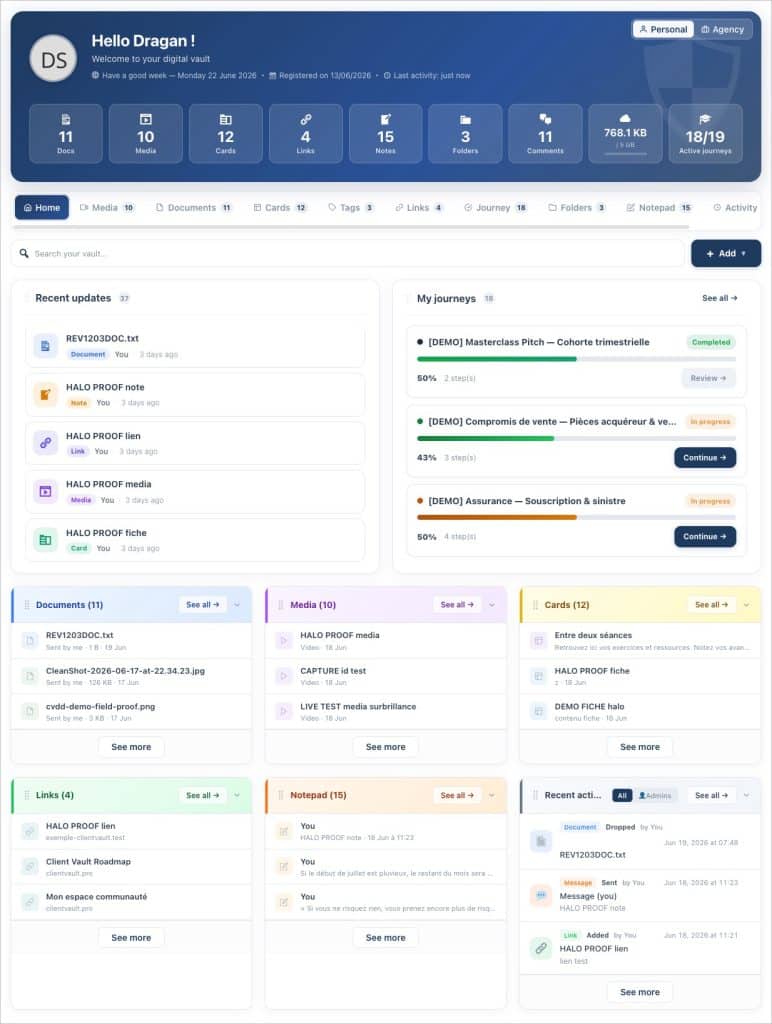
Added to this are **multi-selection** and batch actions (move, copy, archive, download as a single ZIP, delete, tag, comment), **theme-aligned colors** throughout the vault, **inline success messages** within the relevant block rather than pop-ups, **friendlier empty states**, harmonized headers, and **highlighting** of the item you just added. For even greater comfort, **keyboard navigation works in views.** The whole provides a consistent interface, from the first to the last menu.
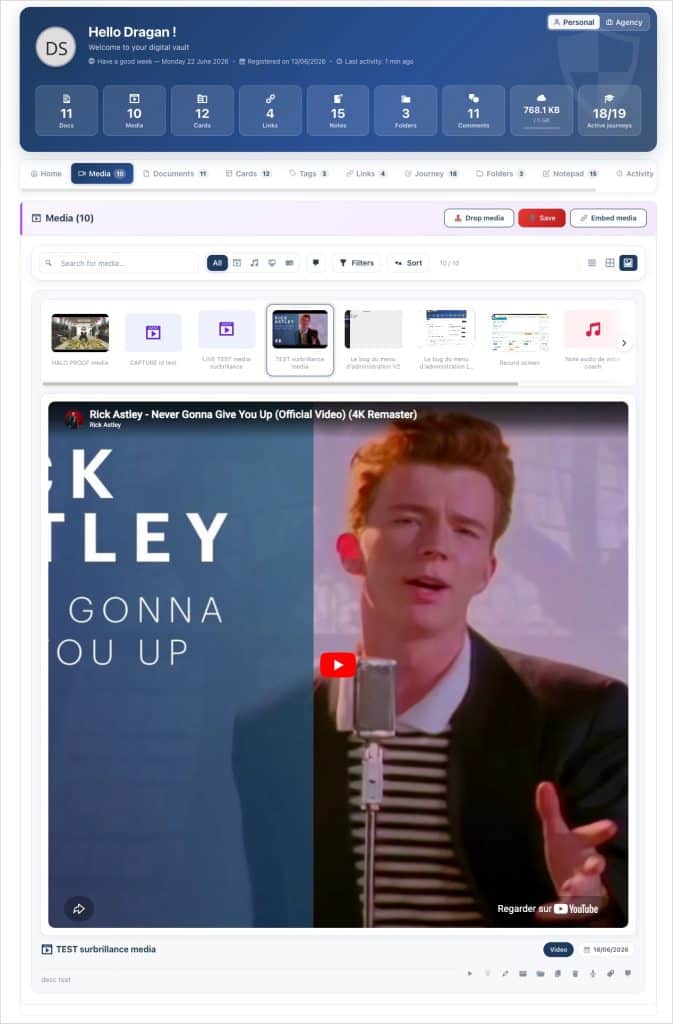
Some menus required more work and deserve to be mentioned. All files can now belong to multiple folders at once (the “Copy” action, without duplicating the file). **Media** can be played directly in the gallery — video, audio, integration, with a waveform viewer for sound — and you can respond with text, video, audio, or screen sharing without leaving the thread. **Cards and links** open in a refined consultation pop-up that counts the view. The **notepad** distinguishes between private and shared notes (private by default, explicit sharing with the admin). And the **Tags** menu has been redesigned, with enriched cards and a multi-tag filter.
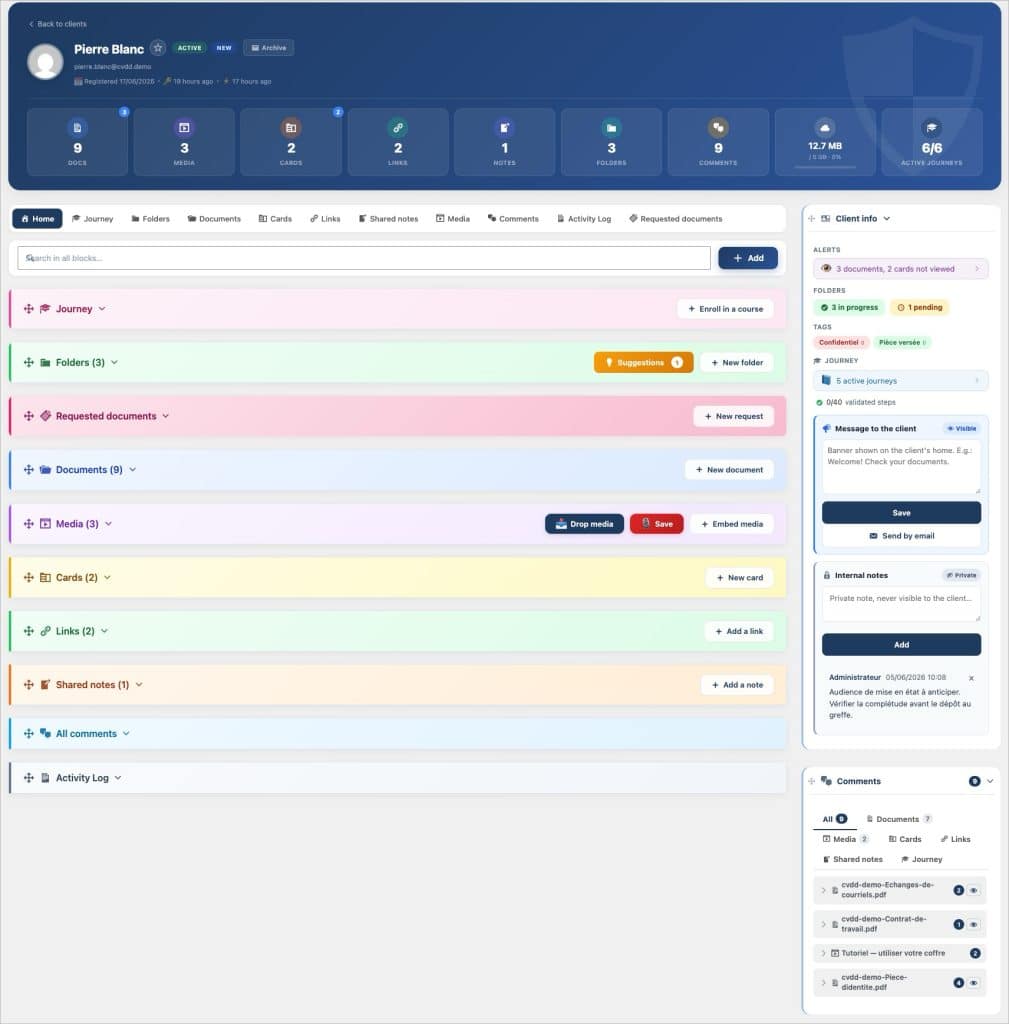
This redesign does not stop at the client vault. The client record, on the administration side, has been completely revamped: distinct cards for client messages and internal notes, a unified “Journey” tab, and a harmonized right column. And the vault side adopts the same design language, for a continuous experience, whether you are in control or your client is viewing. All details are on the roadmap or directly visible in your vault after updating to version 2.0
Vault Activity
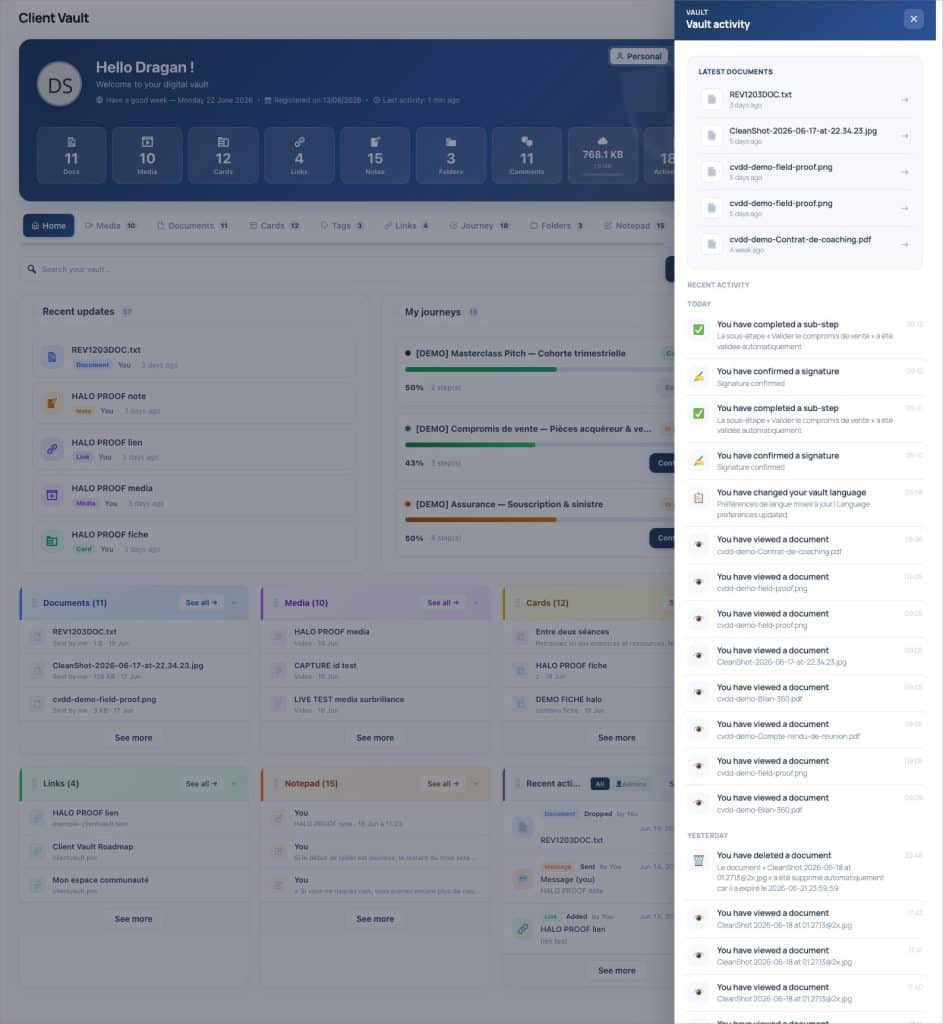
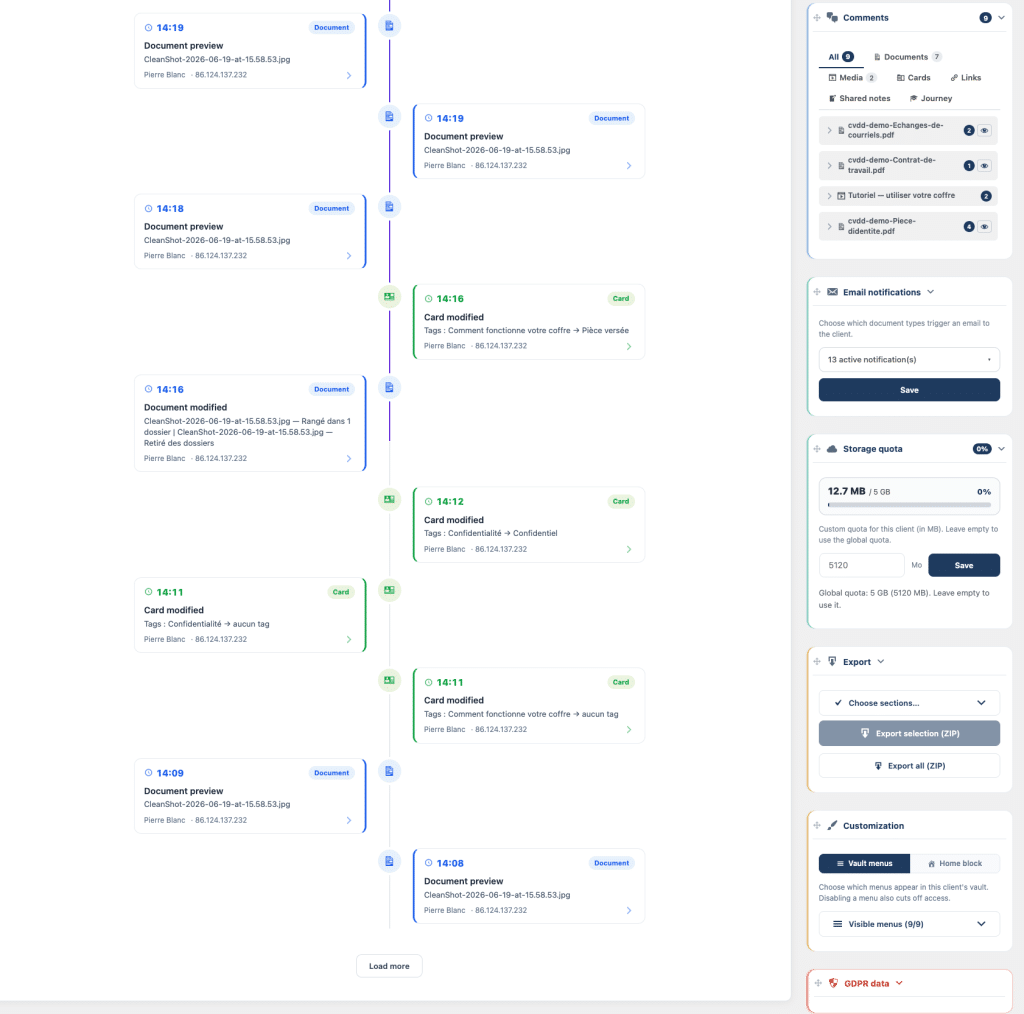
Knowing what happened in a vault should not require effort. Version 2.0 adds a floating button that opens an activity sidebar on the right, from any screen: you can glance at the recent feed without leaving your page, and a “+N” badge indicates new items since your last visit. For an overview, an Activities tab displays the same history in full-page mode, as an animated timeline where each entry is clickable and leads to the relevant item.
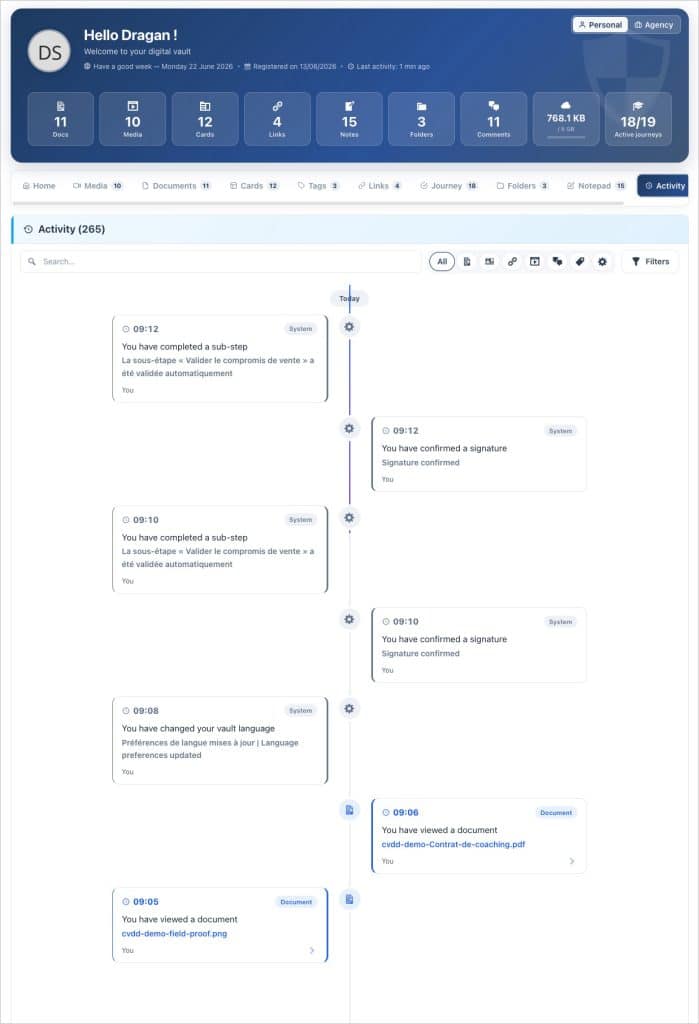
Most importantly, this feed is written in natural language : “you added a document”, “your advisor replied”. No more unreadable technical lines ; a clear narrative, covering 131 types of actions. Consultations are logged for all content types, in real time : you know what was opened, and when. This is a truly new capability, not just a cosmetic feature : it restores visibility into the file’s activity, on both sides.
Files, real workspaces
A folder is no longer just a simple storage drawer. It offers the same views as the rest, with a search that covers all its content, and a color code by section type for quick identification at a glance. Most importantly, it gathers **exchanges**: two blocks, administrator side and client side, collect all comments and responses related to the folder’s elements, organized by format (text, audio, video, screen sharing). A “source” tag directly opens the concerned document or media. All conversation for a folder is in one place.
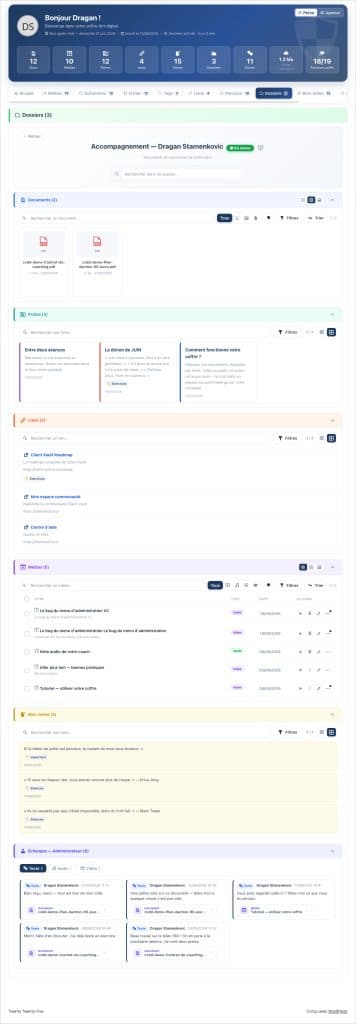
You control what the client sees: for each folder, you choose the visible sections (documents, media, forms, links, notepads, exchanges). A hidden section disappears on the client side, but its data remains in place. And when you need to extract everything, an “Export this folder” button generates a complete archive in one click — decrypted documents, media, inventories, and even the thread of exchanges. The folder becomes a client’s natural work unit.
Journeys and their validations
Journeys gain two highly requested safeguards.
Document validation already existed. They are reaching the next level!
You upload a PDF or a Word document (a quote, a contract, a purchase order), and the client must open it and then validate it — a “good for agreement” that unlocks the step, without any signature.
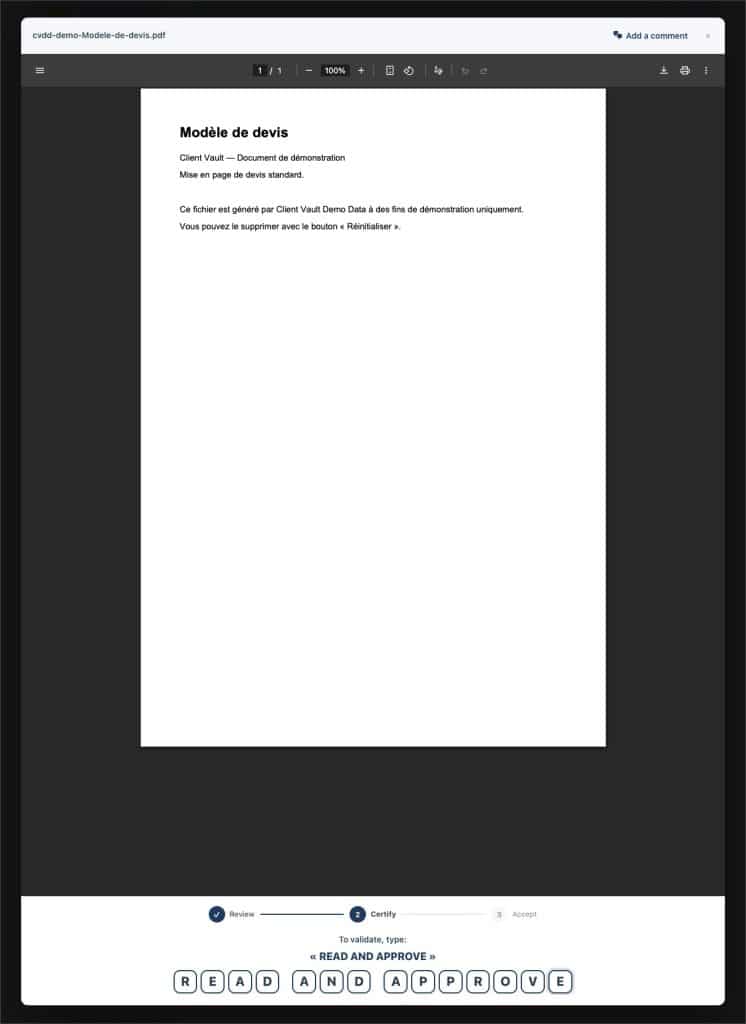
Client validation itself is enhanced. You present information in text, document, or media form; you integrate a video or audio via a simple URL; you offer screen sharing; you import a file directly from the agency vault. You can require a “read and approved” mention to be copied, with name, date, and IP preserved as proof. Let’s be clear: this is a validation, a traceable agreement; it is not a qualified electronic signature, and Client Vault does not sign anything on your behalf.
Form validation: you link an existing form (Fluent Forms, Gravity Forms, WPForms, Forminator, an iFrame integration, or a simple link), the client fills it out and then confirms, and a “Form” tab lists pending submissions, for immediate validation or after your approval.
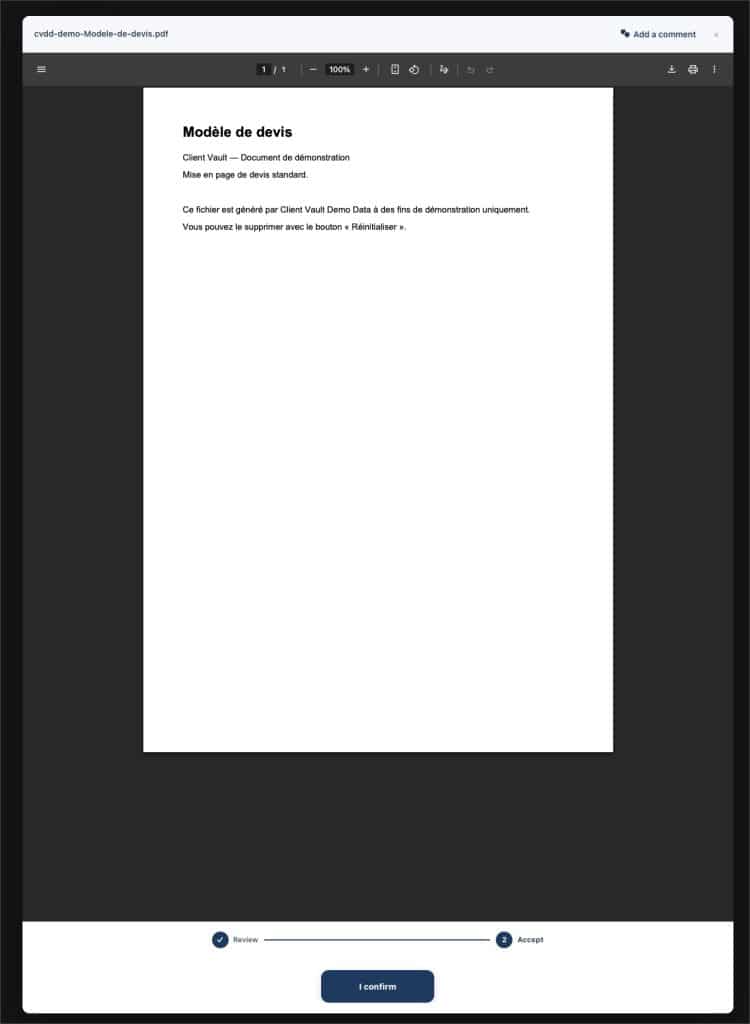
Client validation itself is enhanced. You present information as text, a document, or media ; you integrate a video or audio via a simple URL ; you offer screen sharing ; you import a file directly from the agency vault. You can require a “read and approved” mention to be copied, with name, date, and IP preserved as proof. Let’s be clear : this is a validation, a traceable agreement ; it is not a qualified electronic signature, and Client Vault does not sign anything on your behalf.
Regarding participant tracking, 2.0 brings lifecycle emails (registration, pause, resume, closure, withdrawal…), the ability to pause, close, or reopen a participant, a read-only participant preview to see the journey as they do without skewing statistics, and a redesigned “Access” tab where you activate and reorder menus by drag-and-drop, with a live preview. On the client side, the list of journeys gains filters, search, grid/list toggle, and progressive loading.
Personalization and the Homepage
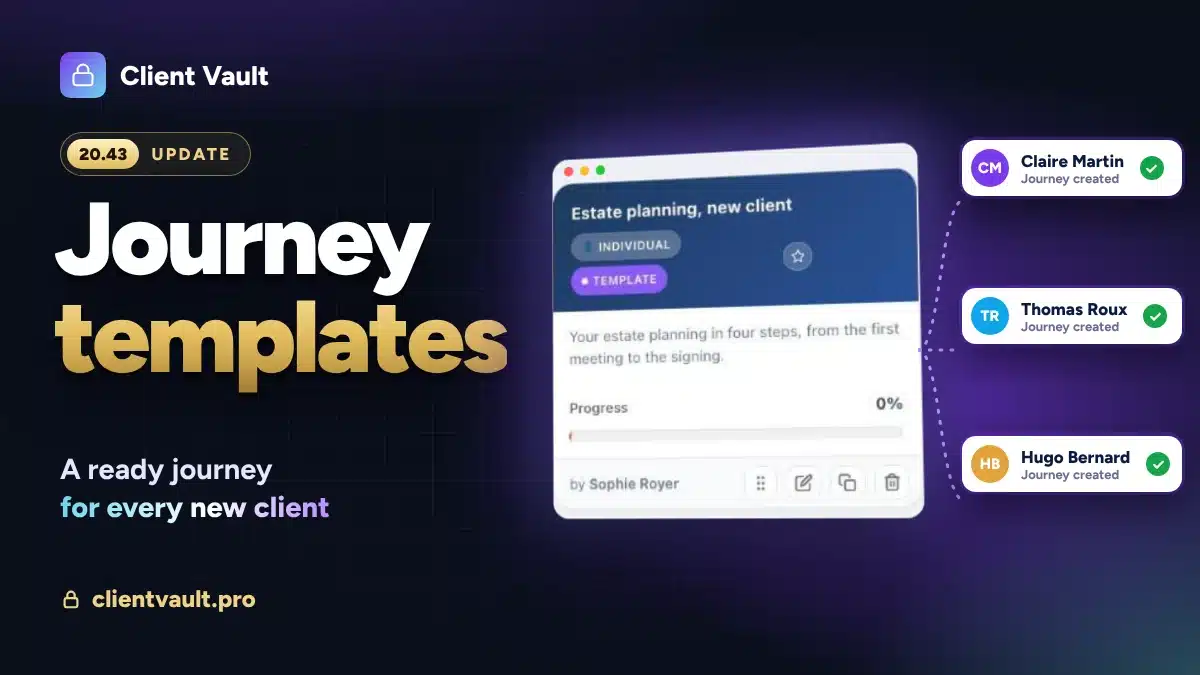
This was a recurring request from our clients. Client Vault is comprehensive, but my clients don’t need all the features. How can we simplify the display? We listened to you and even went further! We had started this work with complete journey personalization! We extended this reflection all the way to the client vault.
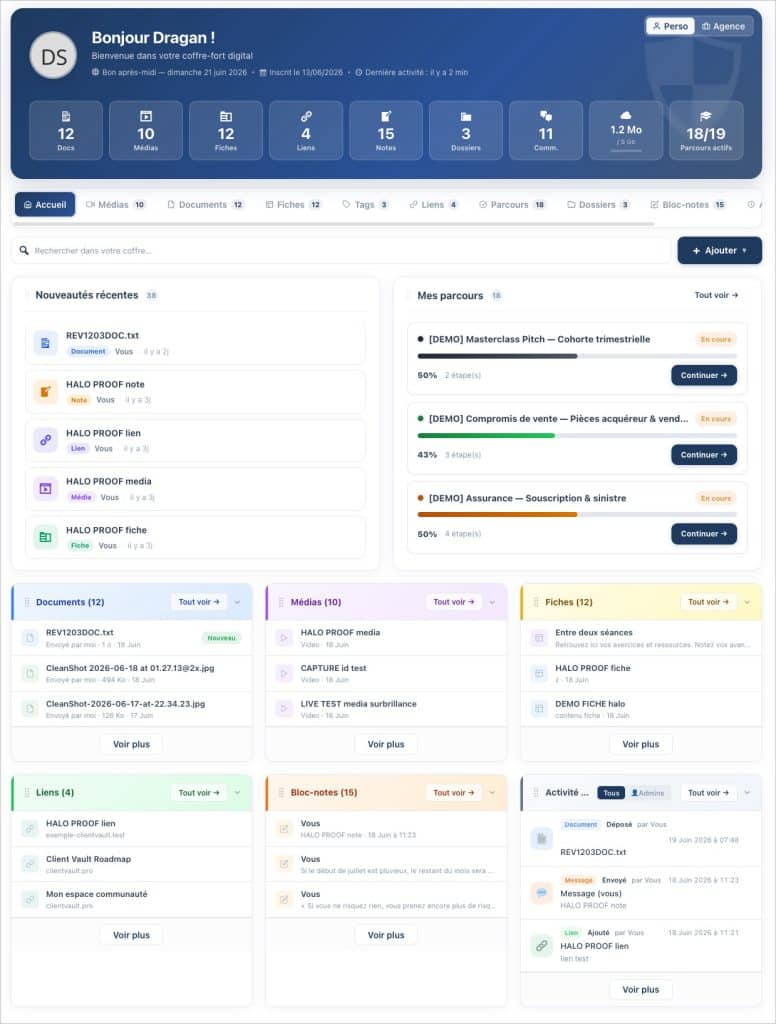
1 – The vault’s homepage becomes composable and modular.
It is built from nine movable blocks: 3 new ones arrive with the “to-do” blocks and recent updates. My journeys, documents, media, forms, links, notepad, and activity complete the set. You define a default composition, you adjust it client by client, and the client can even arrange their own from their settings, without ever losing access to their menus. The rule is simple: the administrator remains prioritized; the client can only hide more. Three action modules set the tone upon arrival — “To-do for you,” “My journeys,” and “Recent updates” — so that one understands at a glance what is expected and what has changed.
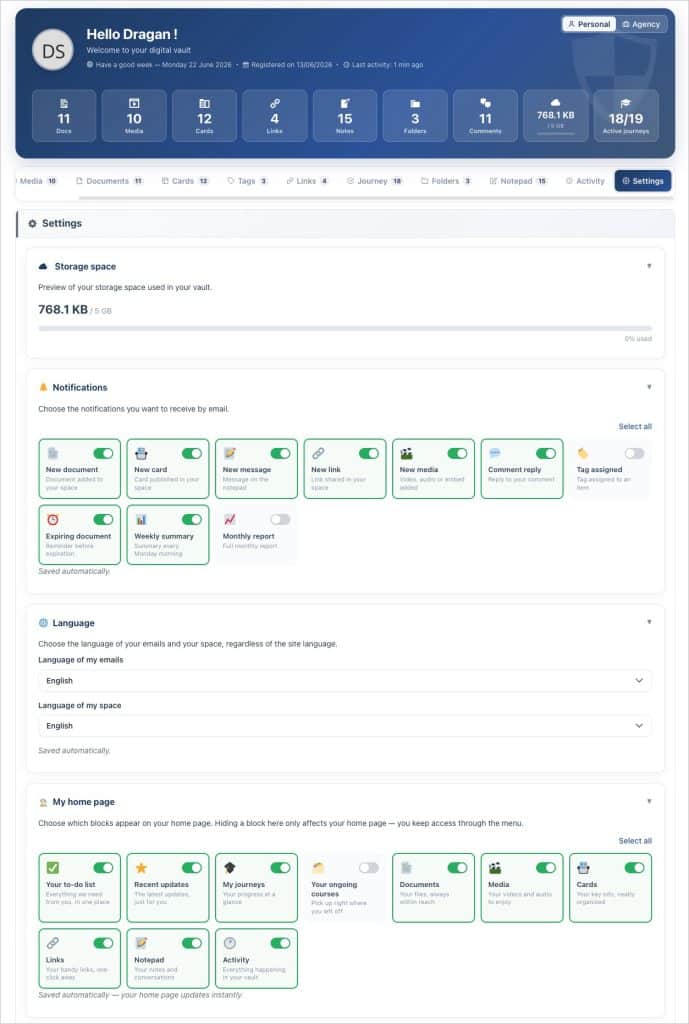
2 – Customization goes beyond the welcome screen. The vault menus can be configured globally and per client, and reordered by drag-and-drop: you can customize the vault menus according to your client’s needs. Do you only want to use documents? It’s possible in 15 seconds by deactivating the other menus. A Customization tab offers a live “client-side” preview, and saving is automatic — no more “Save” button to look for. Comfort for you down to the smallest details.
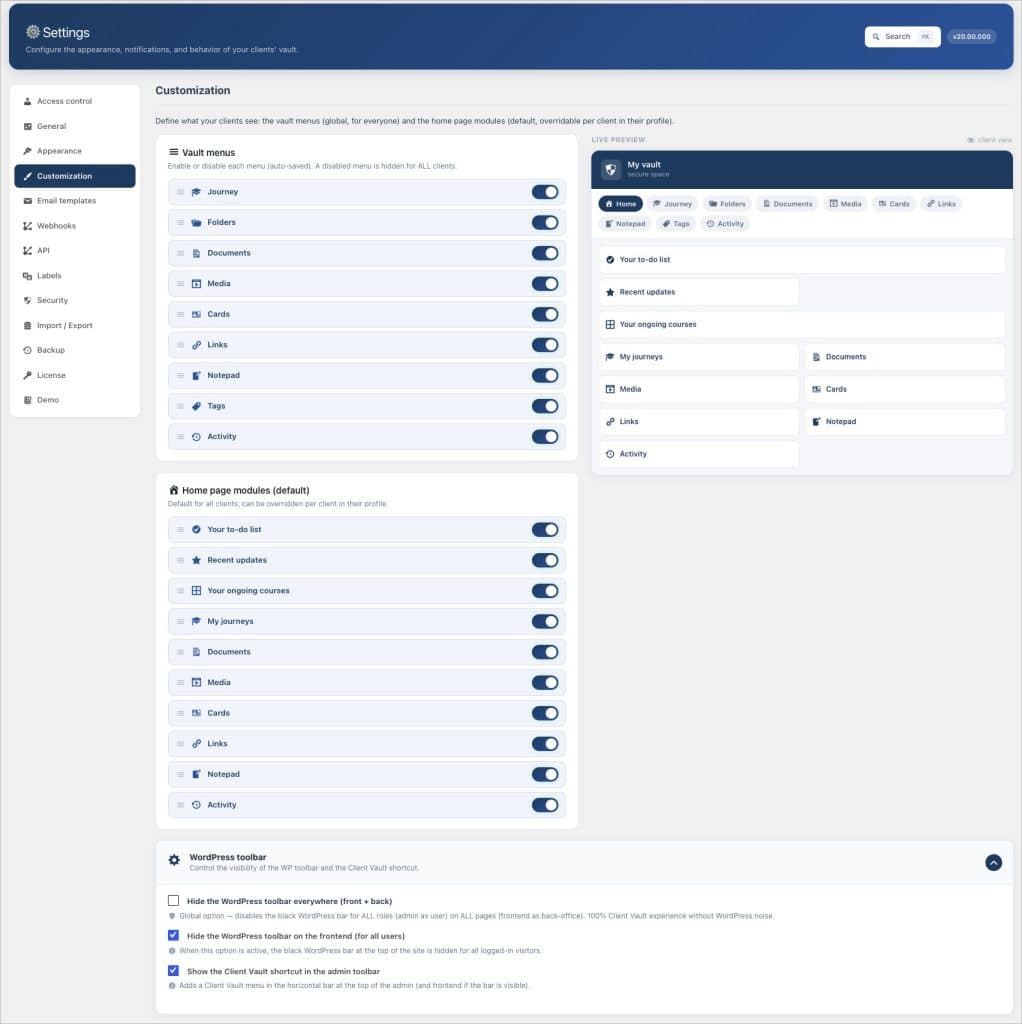
Settings
The settings have been reorganized for clearer groupings, and now include a dedicated Import / Export tab. You can find what you’re looking for faster, and a vault’s configuration can be more easily transferred from one installation to another.
Backup
This was also a requested feature from the Client Vault community. How can I automatically back up my vault without using an external plugin?
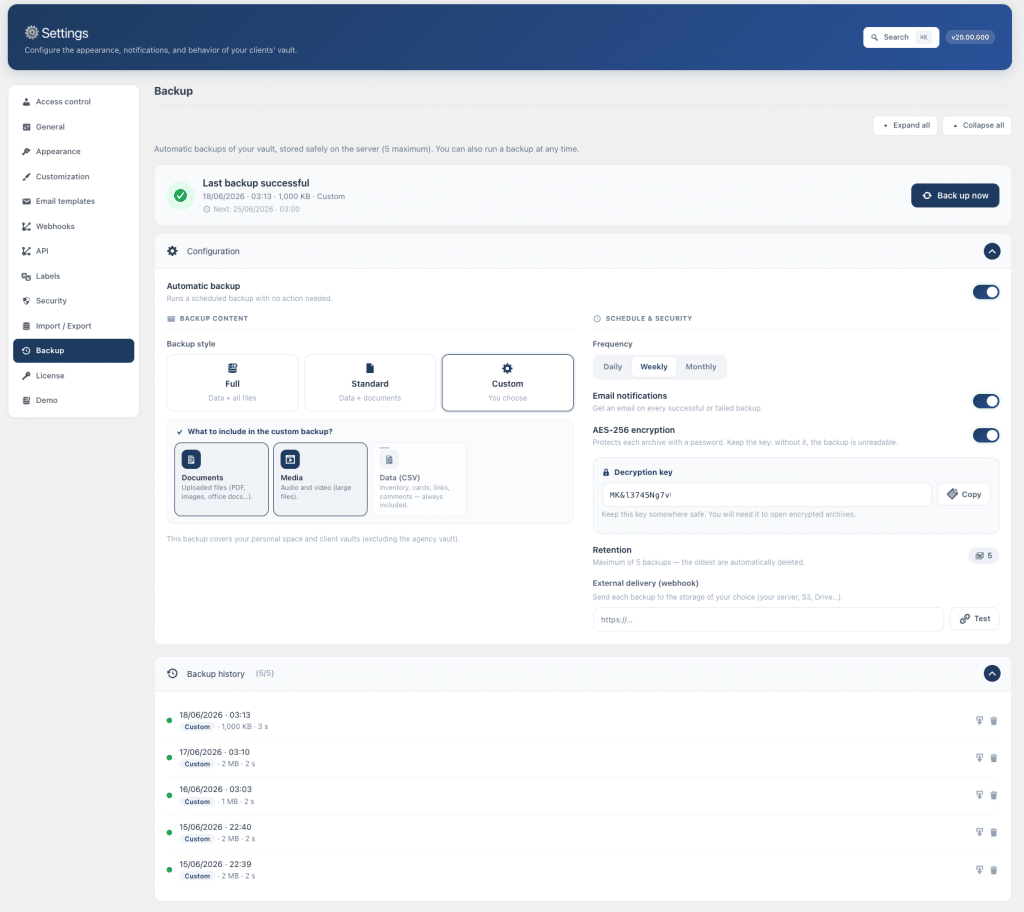
Version 2.0 introduces native automatic vault backup! You can schedule it (daily, weekly, monthly) or launch it on demand, choose a style (full, standard, or custom), activate AES-256 encryption with a copyable key if needed, and send each archive to an external service via webhook. The history of recent backups is kept in a protected folder, with email notifications for both success and failure. This ensures peace of mind without relying on a third-party tool.
The Export
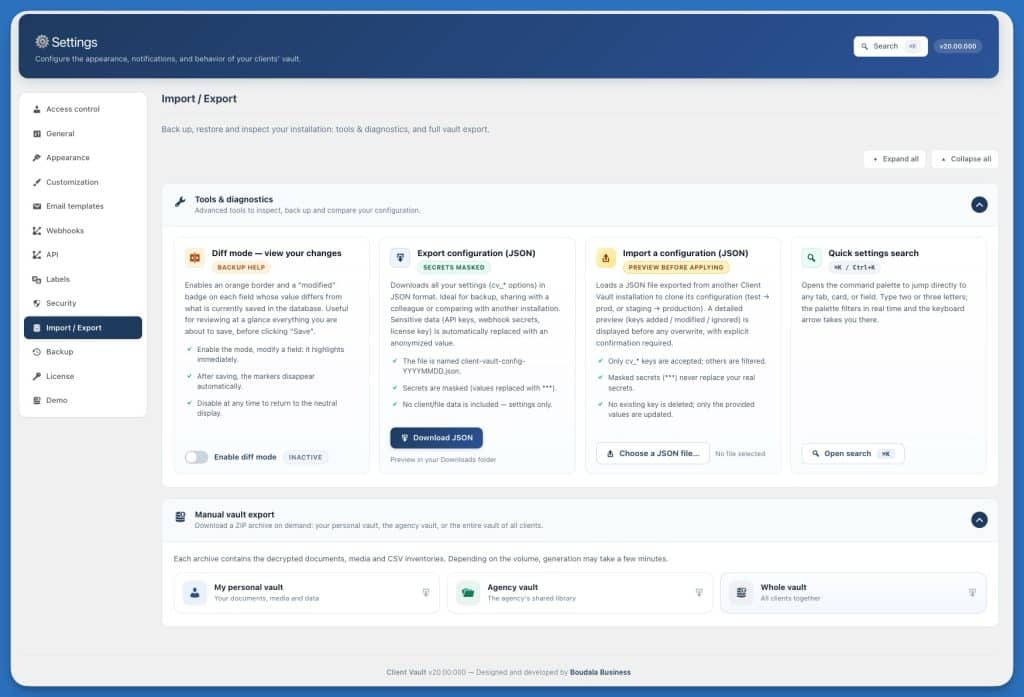
Here is another request from the Client Vault community. How can I easily export all data for all my clients? Your data belongs to you, and and you can take it with you at any time. Version 2.0 allows you to export a folder with one click, an entire client, or the entire strongbox for all clients. The archive is not just an index: it contains decrypted documents, media, media responses from comments, CSV inventories, the activity log, and client journeys. It’s a true snapshot of the strongboxes, usable outside Client Vault.
Strongbox Reset
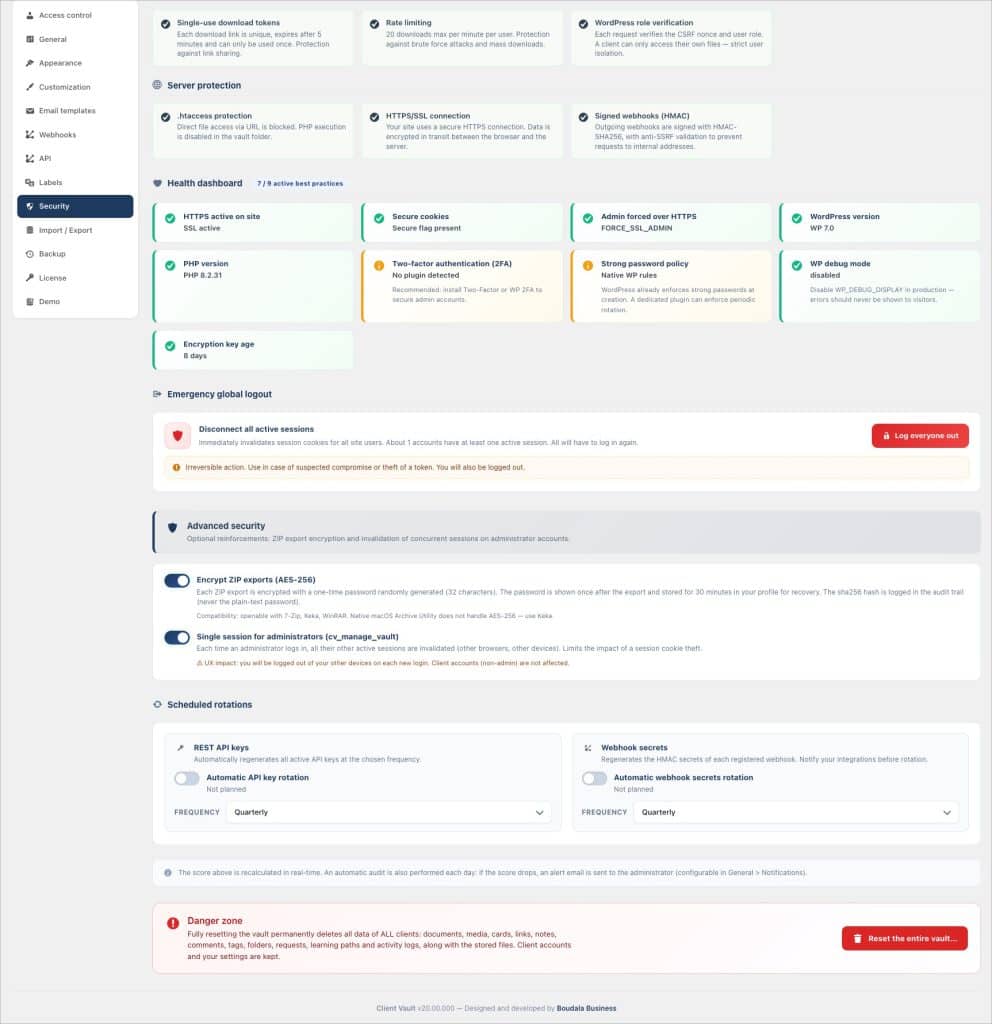
Another feature requested by the Client Vault community. How can I reset my strongbox without uninstalling and reinstalling the plugin, and losing all my settings? Sometimes, you want to start from a clean slate. Version 2.0 adds a global reset that instantly deletes all client data. Because it is irreversible, I have intentionally implemented safeguards: it is reserved for the site’s super-administrator and requires typing “RESET” to confirm. A clear, unambiguous tool for situations where you need to start fresh.
Security and Access Control
A significant portion of the work in this version is invisible on screen, and that’s a good thing. The license now relies on an Ed25519 cryptographic signature and durable attestation, coupled with a domain-linked fingerprint that prevents the plugin from being copied to another site. The principle remains sound: a simply expired license is never locked — you retain access to your data, only updates cease.
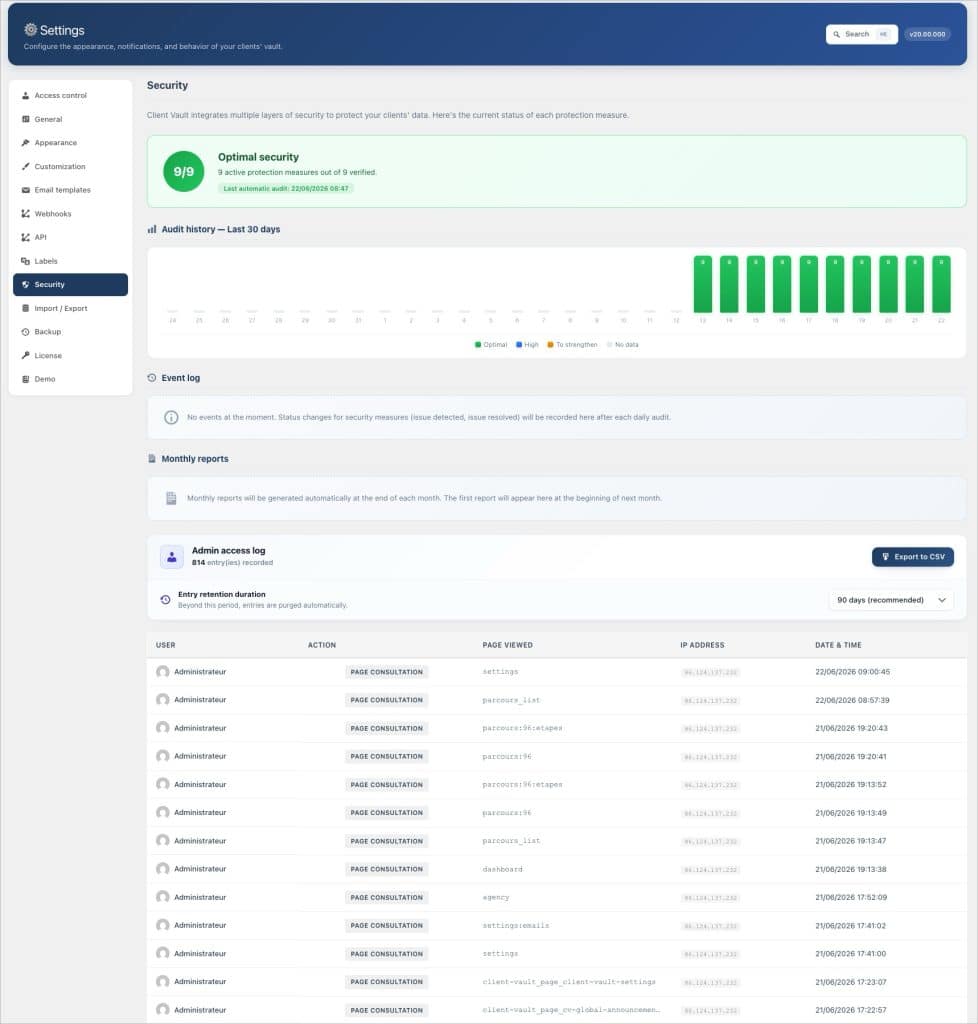
I also made menu hiding a real access control: a hidden menu no longer just disappears visually; it is actually blocked from rendering, from the REST API, from exports, and from journey safeguards — even for an administrator in their own vault. Finally, I have hardened indirect access: several points where an identifier transmitted in a request could have exposed data from another vault have been closed, linking an object to a folder in another vault is now impossible, and uploading files beyond the quota is properly blocked. These are things you don’t notice; they are exactly what I want behind your data.
Client relationship
Several additions enhance the connection with your clients. You can now send a message to the client by email on demand from their profile, using an editable template. A “Seen / Unseen” indicator shows you, per content item, what they have actually viewed. And broken link detection periodically checks the vault’s links, notifying the right person: the administrator for their own links, the client for theirs.
The notification emails have also been reworked: correct rendering in dark mode, content that follows the recipient’s language, and above all, a clickable deep link that directly opens the correct vault content — even when the vault is set as the site’s homepage. A small practical detail that saves your client from having to search.
Day-to-day administration
The back-office gains comfort for the manager. Comments display a “To reply” filter that isolates threads where the last message is from the client, and batch management allows processing several threads at once. The admin activity log adopts a clickable timeline, filterable by type and action. And a precise access log by section now indicates not just the screen viewed, but the exact section opened. In addition to this, there’s the entire design overhaul, extended even to the administration area (see above).
Languages
The entire system — interface, emails, and activity log — is translated into 17 languages at 100 %. And the client chooses their language independently of the website’s language : their vault is displayed in their chosen language, regardless of the navigation language of the rest of the site.
Our course remains steady
All these new features are based on the same principle as day one : your data resides on your hosting, in the country of your choice, and no publisher — myself included — can access them. The agency vault does not go into a cloud : it stays with you, like everything else. This is completely different from an online software that holds your files.
This new version, 2.0, enhances Client Vault’s capabilities to facilitate your client relationships.
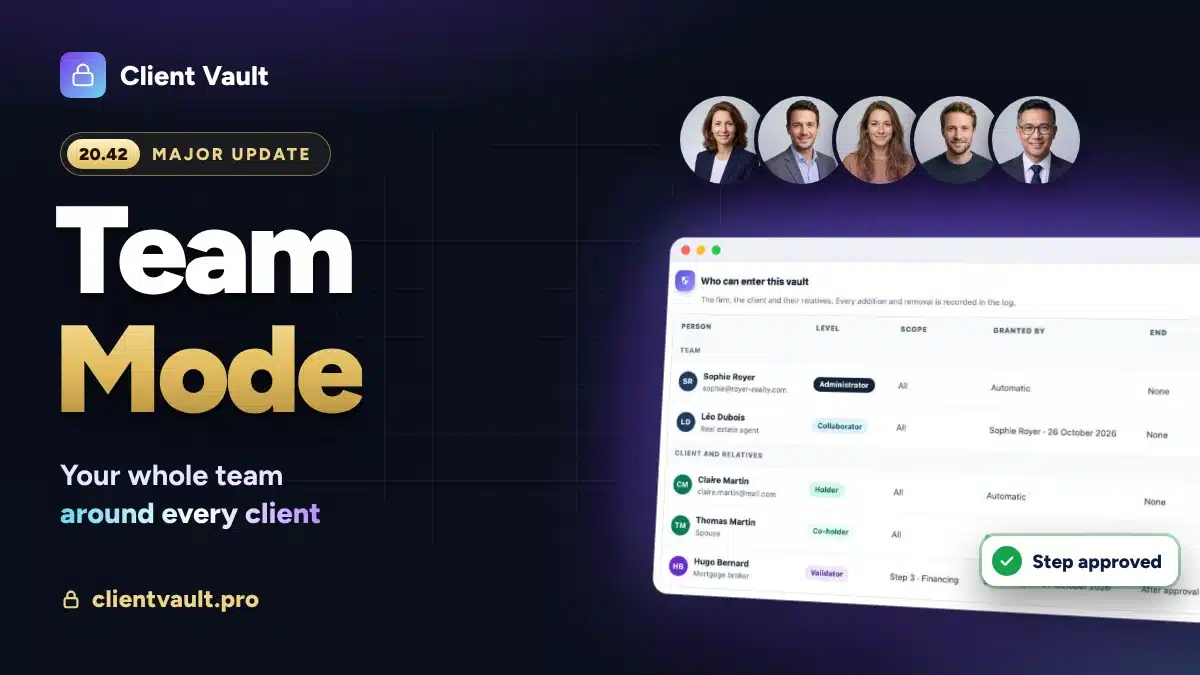
The foundations were already laid, and the agency vault’s core announces the arrival of a new focus for Client Vault: Team management and collaborative work.
Multi-account sharing will arrive with a future “Team” module. A new payment plan will be available for this specific case. Clients of the current version will, of course, be able to benefit from it at no additional cost.
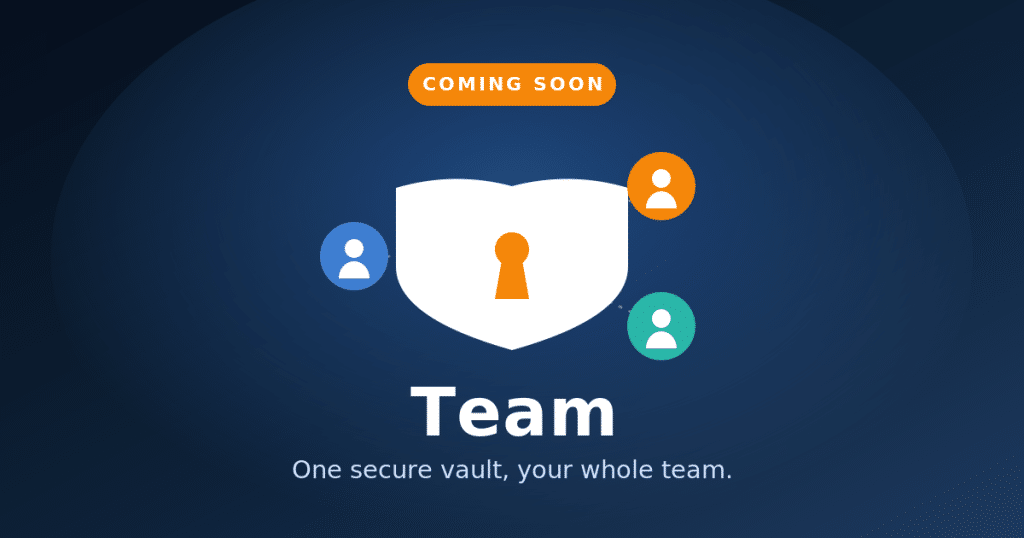
Similarly, two safeguards are announced but not yet active (e-commerce purchase to unlock a journey, developer mode with webhooks) : you will see them grayed out, marked “Coming Soon”.
Of course, I haven’t forgotten the documentation, which can now be built on a better foundation. It was also because of this version 2.0 that it was postponed. It’s best to be as up-to-date as possible! Other new features will arrive, and some are already visible in the roadmap.
This new MAJOR version of Client Vault brings its share of new features. I cannot list here the numerous improvements as well as the bug fixes. This is part of plugin life. We are transparent about the vision and progress of Client Vault. Everything is in the roadmap.
Next Step
The best way to judge is to see the vault in action. Book a video demo : I will show you the agency vault, the new views and journeys, and you can ask your questions. To compare Solo and Pro offers, everything is on the pricing page.
Finally, I want to thank you for your trust and positive feedback! Every interaction, every post, every comment, every testimonial is a breath of fresh air and invaluable help for the plugin’s progress. Thank you all for your trust! We give our utmost every day to transform your client relationship. Hoping that this new version meets your expectations!
Frequently Asked Questions
What is the agency vault in Client Vault?
It is a complete vault that does not belong to any client: your internal library of shared resources (templates, charters, procedures, media), visible only to managers, with its own administration universe and independent settings.
Is the agency vault included in the Solo offer?
The agency vault is part of the Pro offer. In Solo, it remains visible and presented, ready to be unlocked by upgrading to Pro. Details of the offers are on the pricing page.
Does my data leave my server with 2.0 ?
No. Everything remains on your hosting, in the country of your choice, including the agency vault. No editor has access to your files. The principle of sovereignty does not change.
Does document validation replace an electronic signature ?
No. Document validation is a « good for agreement » : the client opens the document and confirms their agreement, with date and record. This is not a qualified electronic signature ; Client Vault does not sign anything on your behalf.
Can the agency vault be shared among several managers ?
Not yet. At this stage, the agency vault is single-user. Sharing with multiple accounts is planned with a future « Team » brick. The data schema is already designed to accommodate it.
How to upgrade from the previous version to 2.0 ?
2.0 (numbered 20.00.000) installs as a classic plugin update : the version upgrade is detected automatically. Your data and settings are preserved.
Are backups encrypted ?
Yes, AES-256 encryption is optionally available for backups, with a copyable decryption key. You schedule the frequency and can send archives via webhook.
In how many languages is Client Vault available ?
The interface, emails, and activity log are 100% translated into 17 languages, with the client choosing their language independently of the site’s language.