The Client Vault website has a fresh new look. In a few minutes, you see what your secure digital vault does, and you try it yourself right away.
I’ll be direct. You told me, more than once: Client Vault does a lot of things, and when you landed on the website, it was not always clear where to start.
I took that feedback seriously. I rebuilt the website from scratch, with one idea in mind: that you understand Client Vault in a few minutes, and that you can try it without waiting for anyone.
The new website is live in our seven languages. Here is what changes, and why.
Why a new website for Client Vault
Client Vault has grown a lot since it opened in May. The vault, the journeys, the community, white label, the team, the languages: every update added a new piece. The old website stacked these pieces one after another. Everything was there, but it took time to find your way around.
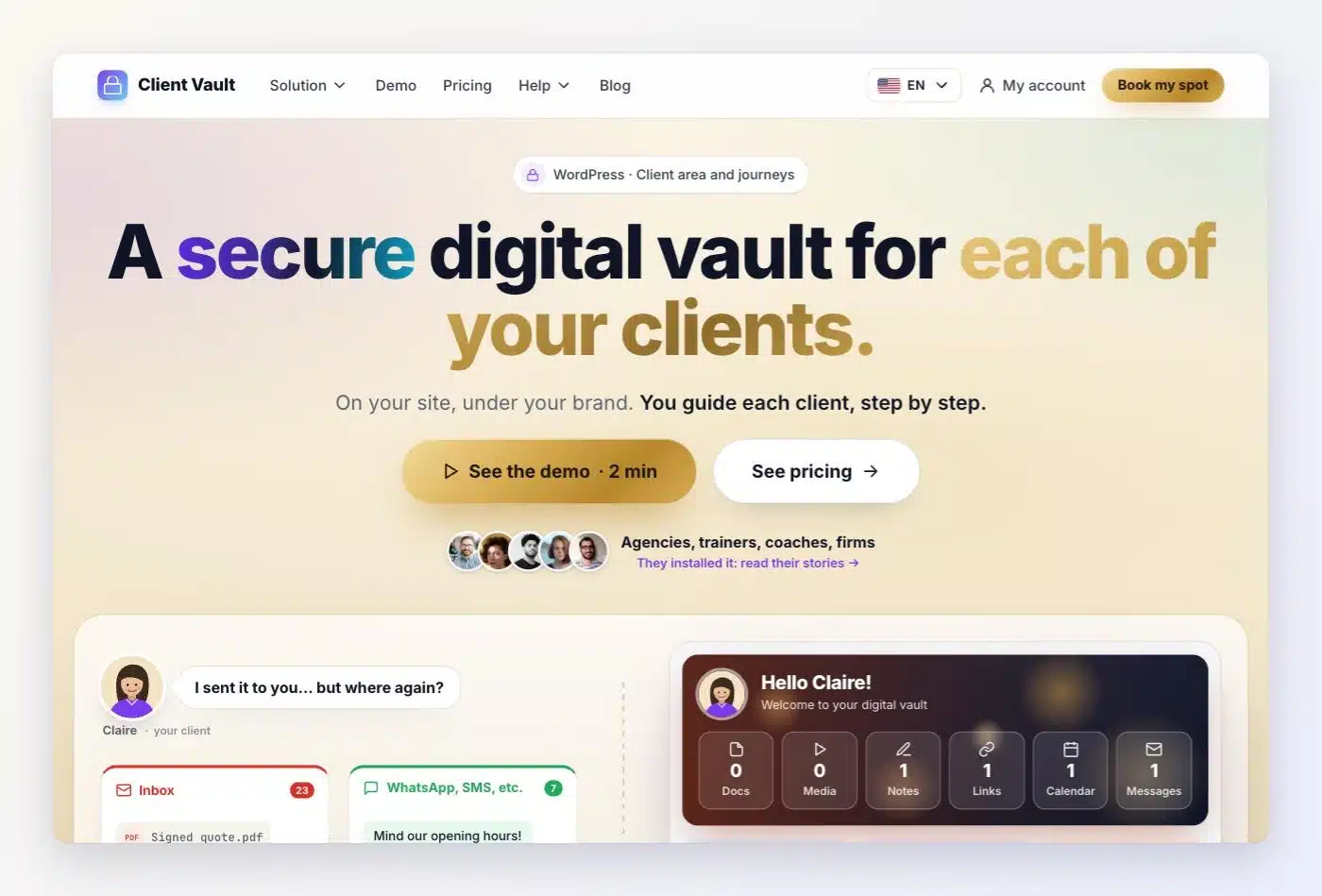
The new website does the opposite. One promise at the top of the page: a secure digital vault for each of your clients. Then one section per feature, with little text and the real screens of the plugin. You click, you see, you understand.
I also made it clearer who each sentence speaks to. There is you, the professional or the agency that installs Client Vault. And there is your client, the one who opens their vault. The website shows both sides, each in its place.
The same logic as every Sdravobiz site
Client Vault is published by Sdravobiz. You’ll find the whole family there: FunnelCart to sell with sales funnels on FluentCart, BookingLeads for appointment booking and leads, Maymoune to create your mobile apps, and Pricati, your AI sales assistant.
All these websites already follow a simple structure that has proven itself. Client Vault now joins it.
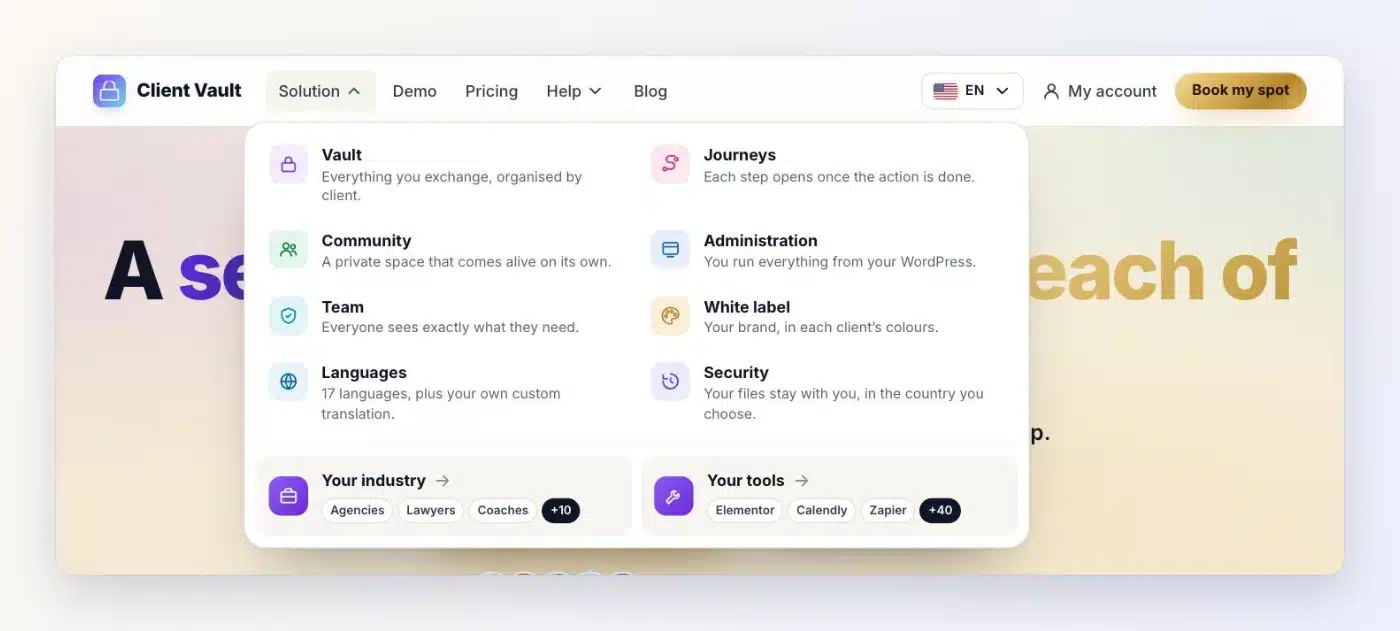
The menu has five entries: Solution, Demo, Pricing, Help and Blog. Under Solution, each feature has its own line, with a short description. At the bottom of the page, you find the other Sdravobiz products and the language selector.
If you already know one of our websites, you find your way around the others right away. And if you are discovering Client Vault, you find the essentials in two clicks.
What Client Vault does, in plain words
The new website puts the essentials back up front. Client Vault is two distinct things, which work together or separately.
A secure digital vault for each client
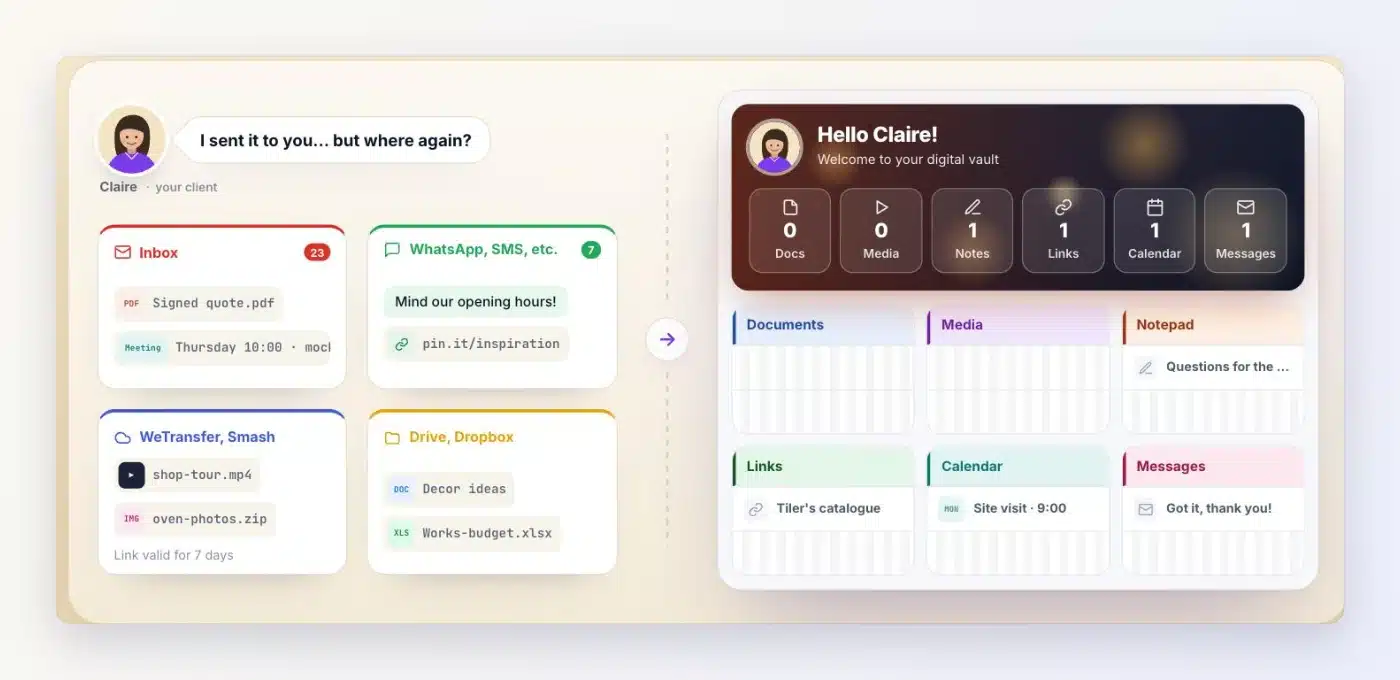
Each client has their own vault, on your website, with your brand. Documents, photos, videos, messages, notes, links, projects, calendar: everything you exchange with them is stored there. They can comment in text, audio or video, and reply to you from the messaging.
No more WeTransfer, WhatsApp or Google Drive to send you files. Your client has everything in one place, and so do you.
A journey to guide each client
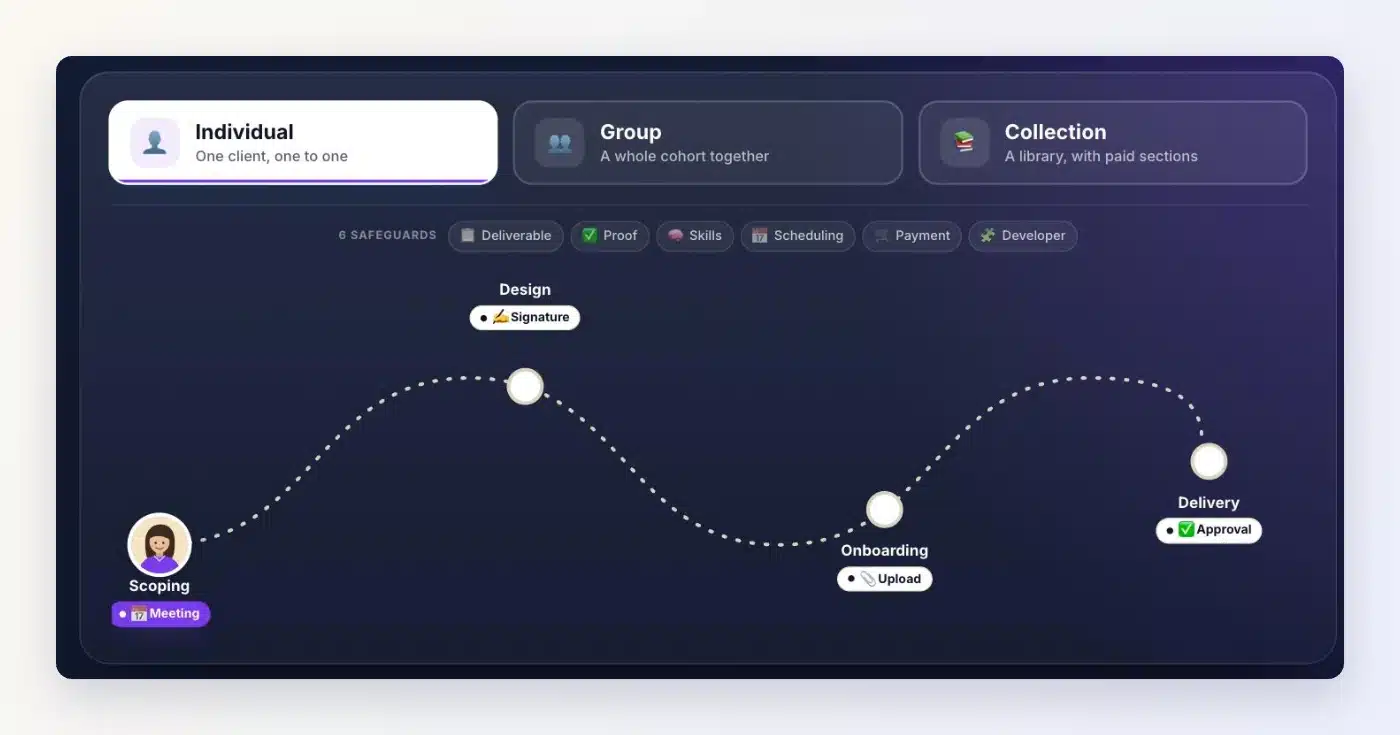
The journey is a feature in its own right. You can follow and guide a client step by step, even with no document in their vault. Each step opens when the requested action is done, and you validate with one click.
You choose the format that suits you: an individual journey, one to one, a group journey, or a collection of content to explore freely.
Your tools stay in place
Client Vault plugs into the tools you already use. With FluentCart, a payment can unlock a step. With Fluent Forms, a quiz or a form validates it. With Fluent Booking, the appointment is booked inside the journey. The website lists about fifty of them, and more than 9,000 apps through Zapier, Make or n8n.
Your brand, your team, your languages
Client Vault steps back behind your brand: your name, your colors, your words. Or those of each of your clients. You delegate to your team, everyone sees what they should see, and you keep access to everything. Your website speaks your language, and each client picks theirs among 17 languages.
Your data stays with you
This has been the common thread since day one. Everything lives in your WordPress, on your server, in the country of your choice. Files are encrypted with AES-256, every action is time-stamped in a log, and no publisher sees your data. Your clients stay your clients.
A demo ready in a few seconds
This is the request I heard the most: “I want to see Client Vault with my own eyes before I decide.” You are right. It is now possible, right away.
On the Demo page, you enter your first name and your email. A few seconds later, the real screens are in front of you, and you click everywhere: your client’s vault, the journeys, the community, the administration and the tracking.
Prefer to watch? The guided video tour presents all of Client Vault step by step. And if you want to talk about your business, you book a video demo.
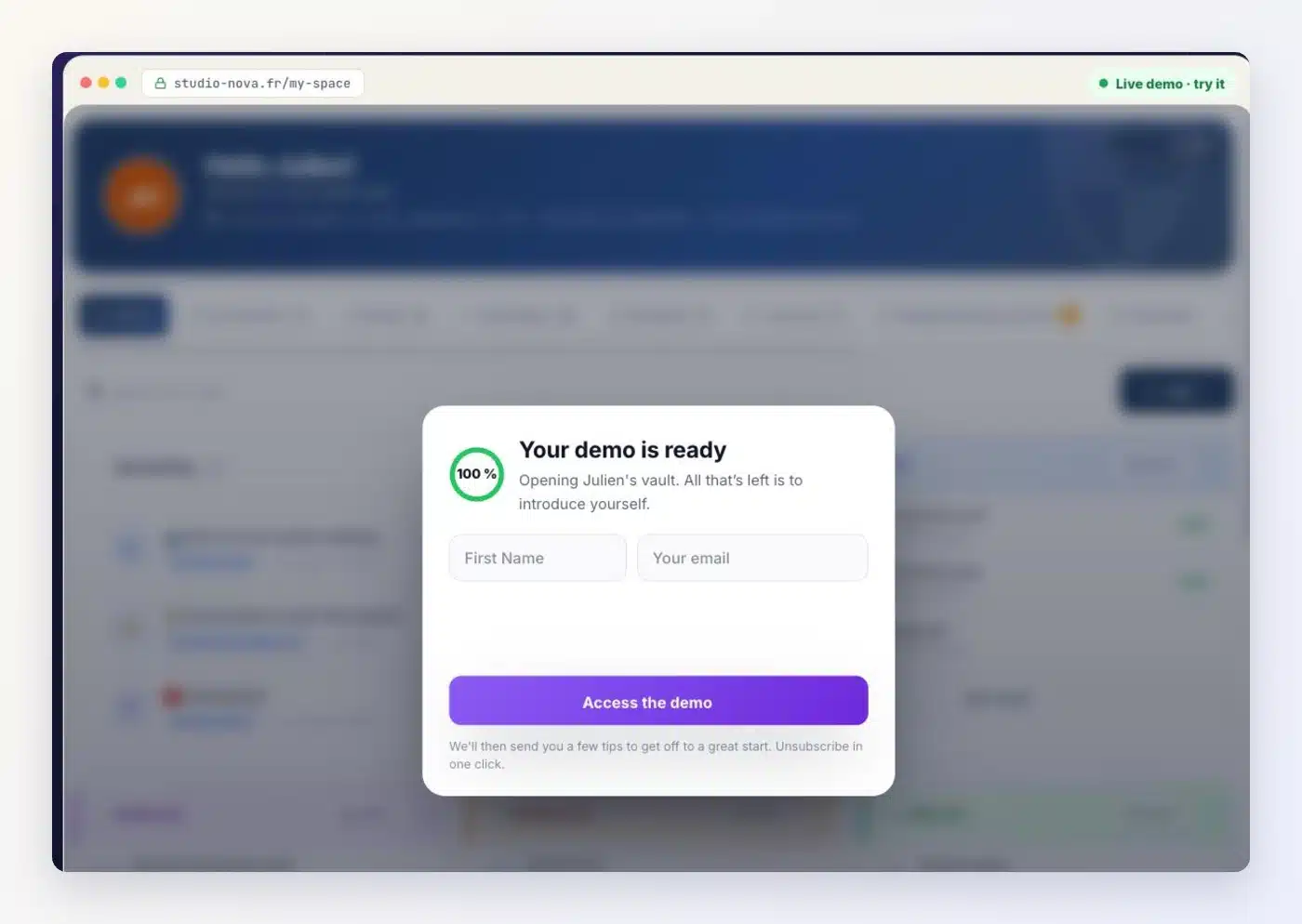
Afterwards, you receive a few tips by email to get started well. You unsubscribe with one click whenever you want.
Our course does not change
The website is simpler, the product stays just as complete. Client Vault keeps moving forward with every update, and you follow everything in the changelog.
Let’s be frank about one point: Client Vault installs on a WordPress website. It is not online software that you rent. That is exactly what makes you the owner of your data and of the relationship with your clients.
The other pages of the website will follow the same path in the coming weeks. Your feedback helps me choose where to start.
Next step
New website
Open the demo and see Client Vault in action
Your first name, your email, and the real screens open in a few seconds.
- Your client’s vault
- Journeys, step by step
- Administration in WordPress
- Tracking of each client
Frequently asked questions
Why does Client Vault have a new website?
So that you understand Client Vault faster. The new website presents one feature per section, with little text and the real screens of the plugin.
How can I try Client Vault before buying it?
On the Demo page, enter your first name and your email. The real screens open in a few seconds, and you click everywhere.
Do I need to book a call to see the demo?
No. The live demo and the guided video tour are available right away. The video demo is still possible if you want to talk about your business.
In which languages is the new website available?
In French, English, German, Spanish, Italian, Portuguese and Romanian. The plugin itself is available in 17 languages.
Did the Client Vault plugin change with the website?
No, it is the website that changes. The plugin keeps receiving updates, which you follow in the changelog.
Who publishes Client Vault?
Sdravobiz, which also publishes FunnelCart, BookingLeads, Maymoune and Pricati. All these websites follow the same logic.