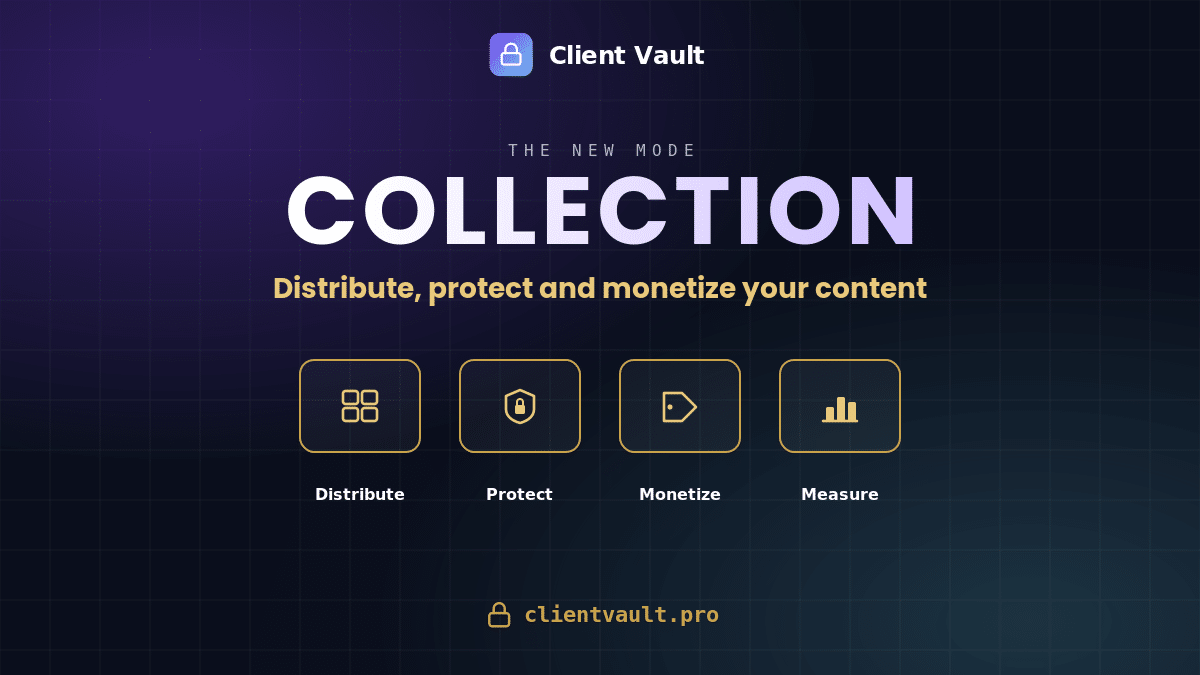
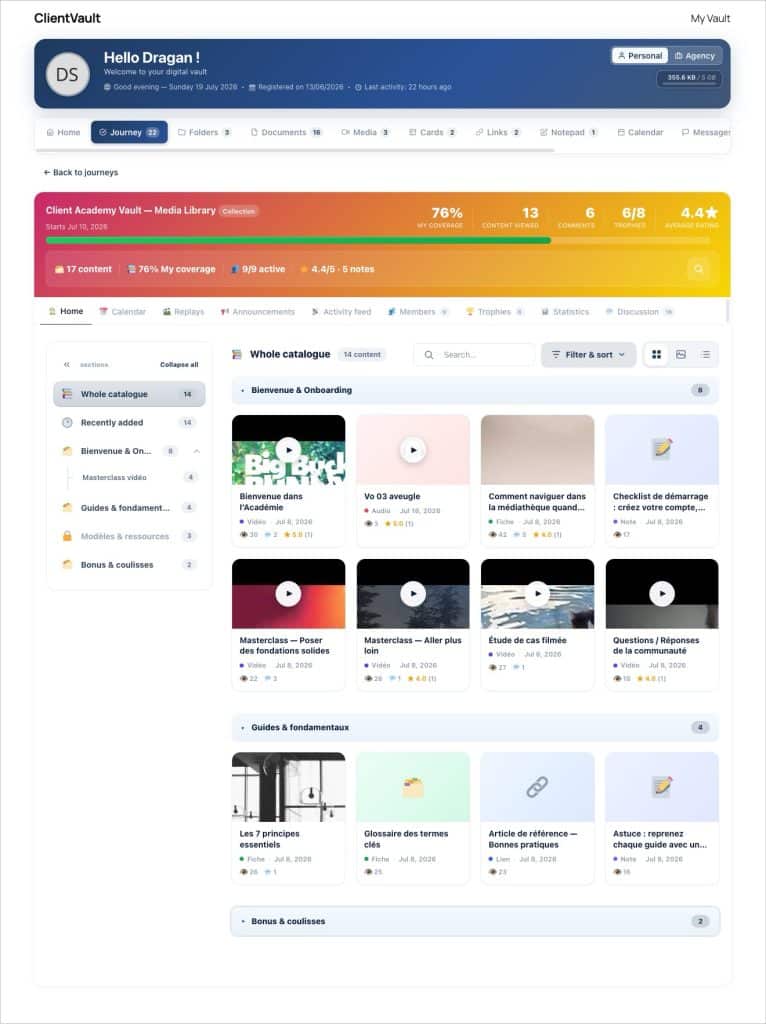
Client Vault is enhanced with a new mode, the Collection. A content catalog — videos, audios, PDFs, fact sheets — organized into sections, which your clients explore freely. You sell access section by section, your files remain non-downloadable and marked with a personalized watermark, and everything is hosted by you, without third-party services.
From the beginning, I’ve been building Client Vault in an open workshop : each version is documented, each choice explained. Today, I present the biggest evolution of the Journeys module since its creation. Until now, a journey was used to accompany — an individual one-on-one, or a cohort in a group, step by step. The Collection mode reverses this logic : you no longer accompany a progression, you open a catalog. And this catalog is protected, sold, and measured.

What’s Coming, At a Glance
- The Collection Mode — a new type of journey designed as a content catalog (videos, audios, images, PDFs, links, fact sheets), organized into sections and subsections.
- Three Viewing Modes — List, Grid, and Immersive Gallery, with search, filters by type, tags, and minimum rating.
- Selling Access by Section — paid unlocking via FluentCart directly on the page, and FluentCRM automations for entry and exit.
- Integrated Client Relationship — discussion under each content with text, video, audio, or screenshot responses, public/private/anonymous visibility, activity feed, announcements, and “What’s New” drawer.
- Content Protection — non-downloadable players, signed and encrypted stream, named watermark per viewer, configurable per Collection.
- Rating and Engagement Statistics — stars on each content, participant-based catalog coverage, rankings, and rating distribution.
- Adaptive Trophies, Deadlines, REST API — automatic coverage tiers, deadline behavior (open, archived, closed), and endpoints for importing a catalog.
The full details, version by version, are in the changelog.
Distribute : a catalog, not just another course
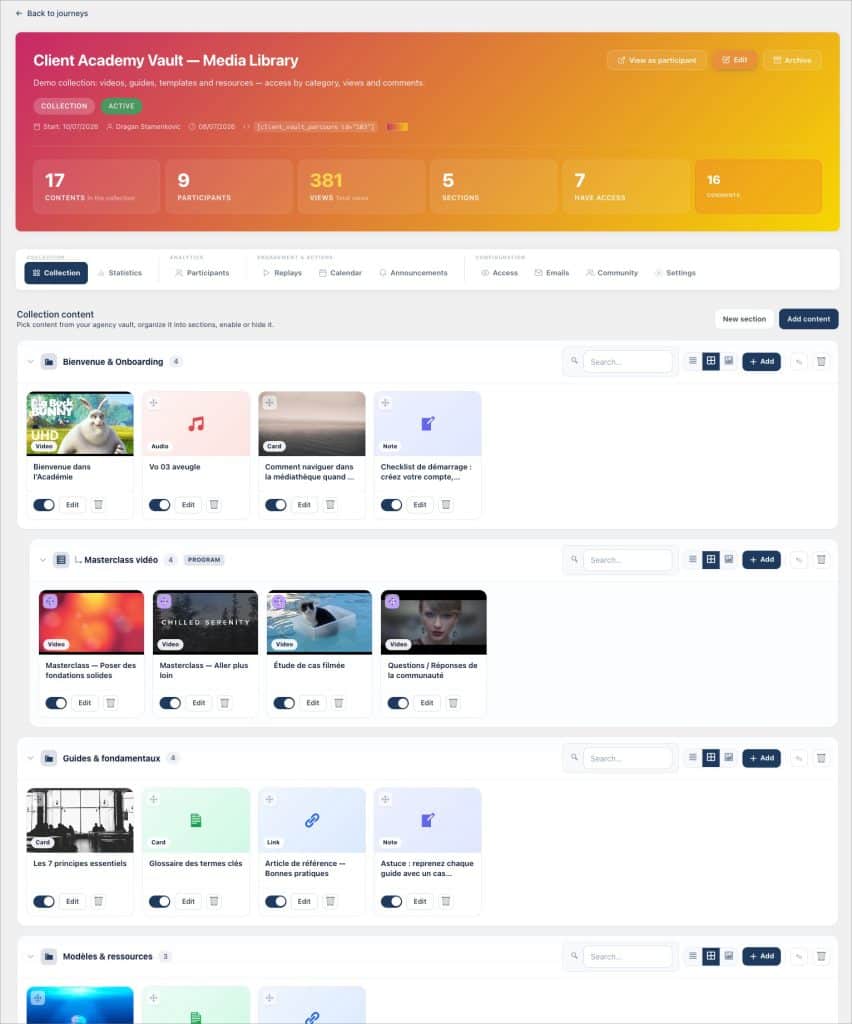
A one-on-one or group course imposes an order: steps, deadlines, validations. This is its strength when you provide guidance. But many of you have described another need to me: “I have a library of replays, templates, recorded trainings — I want to make it available, cleanly, without scripting every click.” This is exactly what the Collection does.
You create sections and subsections, each with its own icon. You reference your content there : a video, an audio, a PDF, a link, a fact sheet. Your clients explore the catalog at their own pace, in the view that suits them — list, grid, or gallery —, find new items, search, and filter by type or tag. The Collection reuses the complete shell of a group space : announcements, activity feed, members, trophies, statistics, calendar, and replays.
Engage : customer relationship at the heart of the catalog
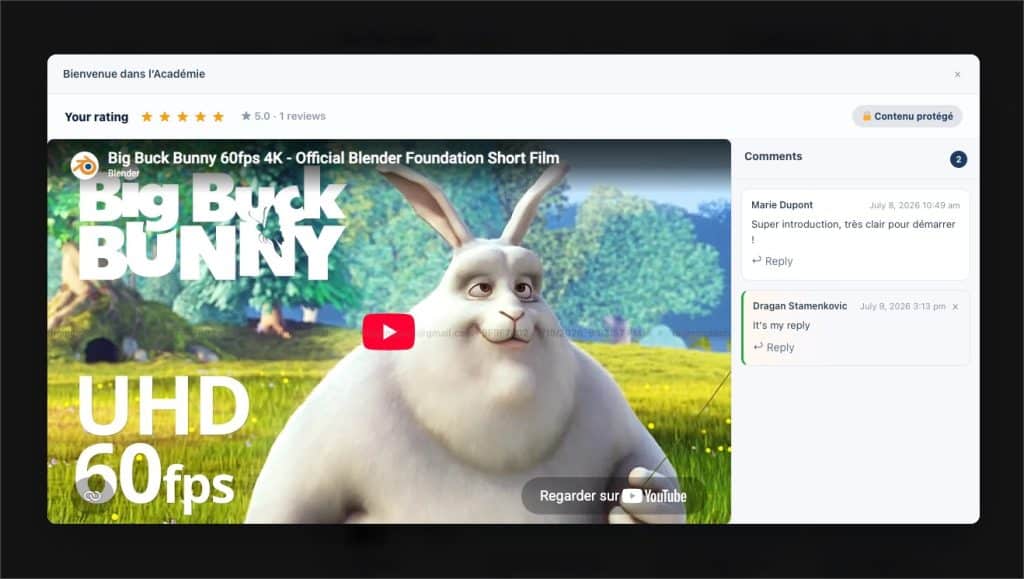
A Collection is not a cold shelf. What distinguishes it from a simple video host is that customer relationships are native to it. Each content item opens in the vault preview with an attached discussion : your clients comment, ask their questions, and their answers are not limited to text — a video, an audio, or a screenshot can be recorded directly from the browser. Each person chooses the visibility of their message : public (visible to the group), private (reserved for the Advisor), or anonymous (visible but without a name). You reply from the administration, within the same thread.
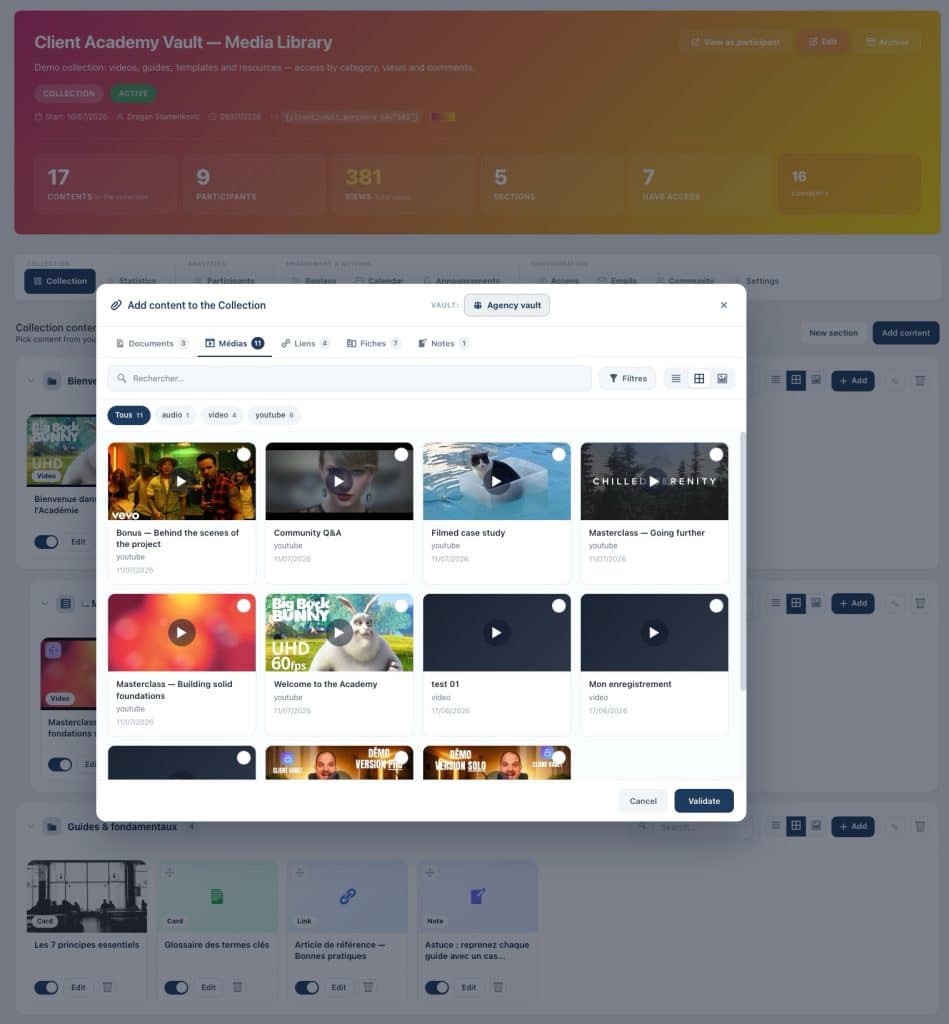
Around the content, the entire group’s activity: a Discussion tab that aggregates Collection exchanges (each card opens the relevant content), an activity feed in chronological order that tracks views, comments, and notes, a News drawer with an unread badge, announcements, a calendar, and replays for your meetings. When you add content, a summary email can notify participants who have access to it — only one email per addition, never one per file, even for a bulk import.
And because some groups mix clients who should not know each other, you can make a participant anonymous: their name and avatar are hidden from other members across all surfaces — comments, rankings, activity —, while you retain the full view. Client confidentiality, a cornerstone of the vault, also applies to the catalog.
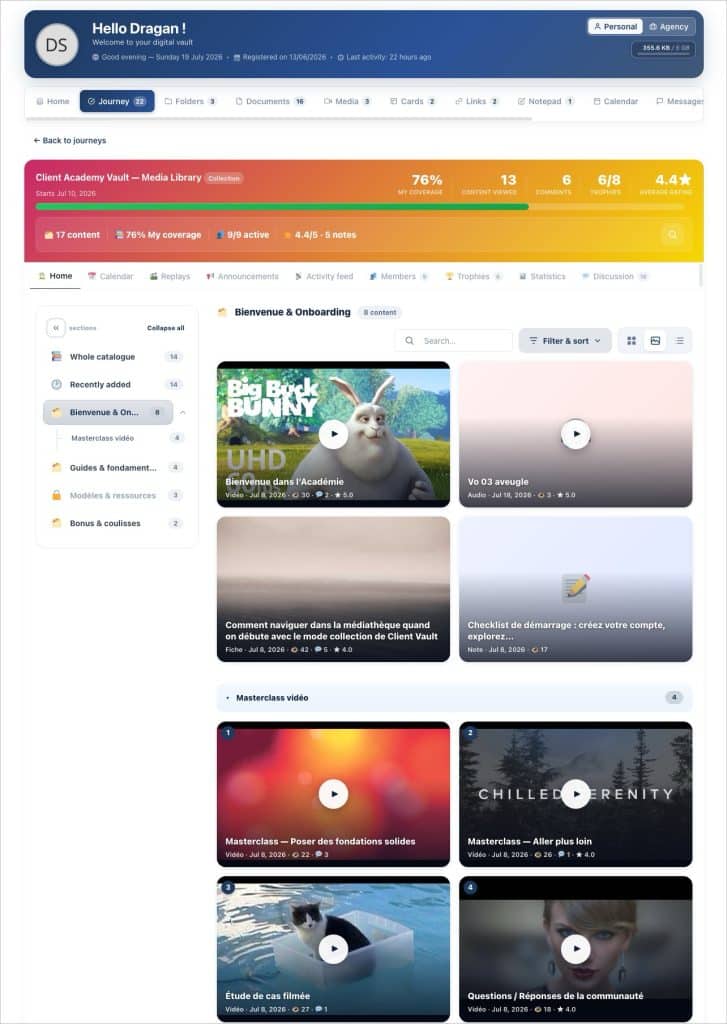
Protect: non-downloadable, named watermark
Distributing premium content raises a question that major streaming services charge dearly for: how do you prevent your videos from ending up in the wild? When I designed this module, I refused to direct you to a third-party service. Everything is native: files are encrypted at rest on your server, served by a short-lived signed stream, re-verified with each request — revoking access immediately stops playback. Players prevent downloading, images cannot be swiped, PDFs are displayed without toolbars, and anti-hotlink control blocks playback from another site.
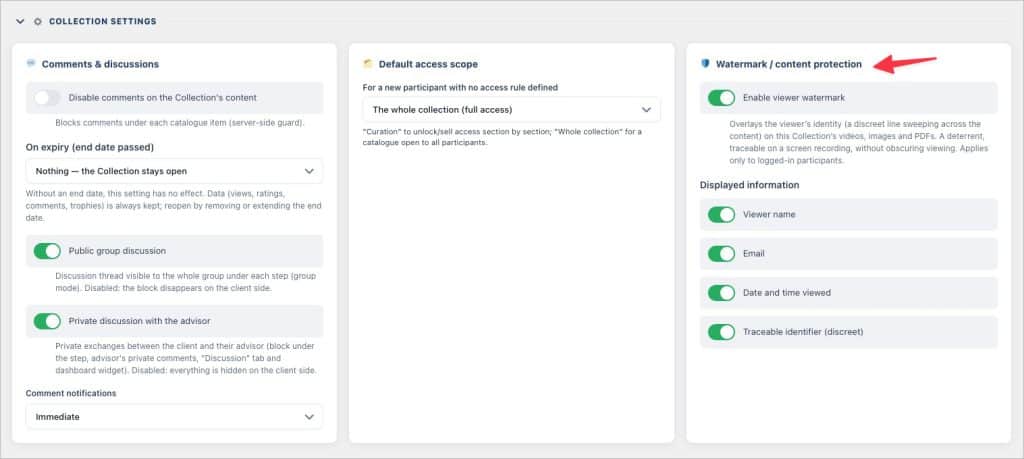
And most importantly, each Collection can enable viewer watermarking : the name, email, viewing date, and a traceable ID of the logged-in person are superimposed in a discrete line that scans the content. Each person only sees their own watermark. If a screen recording leaks, it bears the leaker’s name. You choose, Collection by Collection, whether to activate this protection and what information to display.
Here too, I owe you the truth : no software protection prevents someone from filming their screen. The watermark makes the leak traceable and dissuasive — this is the same level of protection as the “secure” offerings of paid video platforms —, but it is not a hardware DRM. The difference is that with Client Vault, this protection is included and sovereign : nothing passes through a third party.
Monetize : sell access section by section
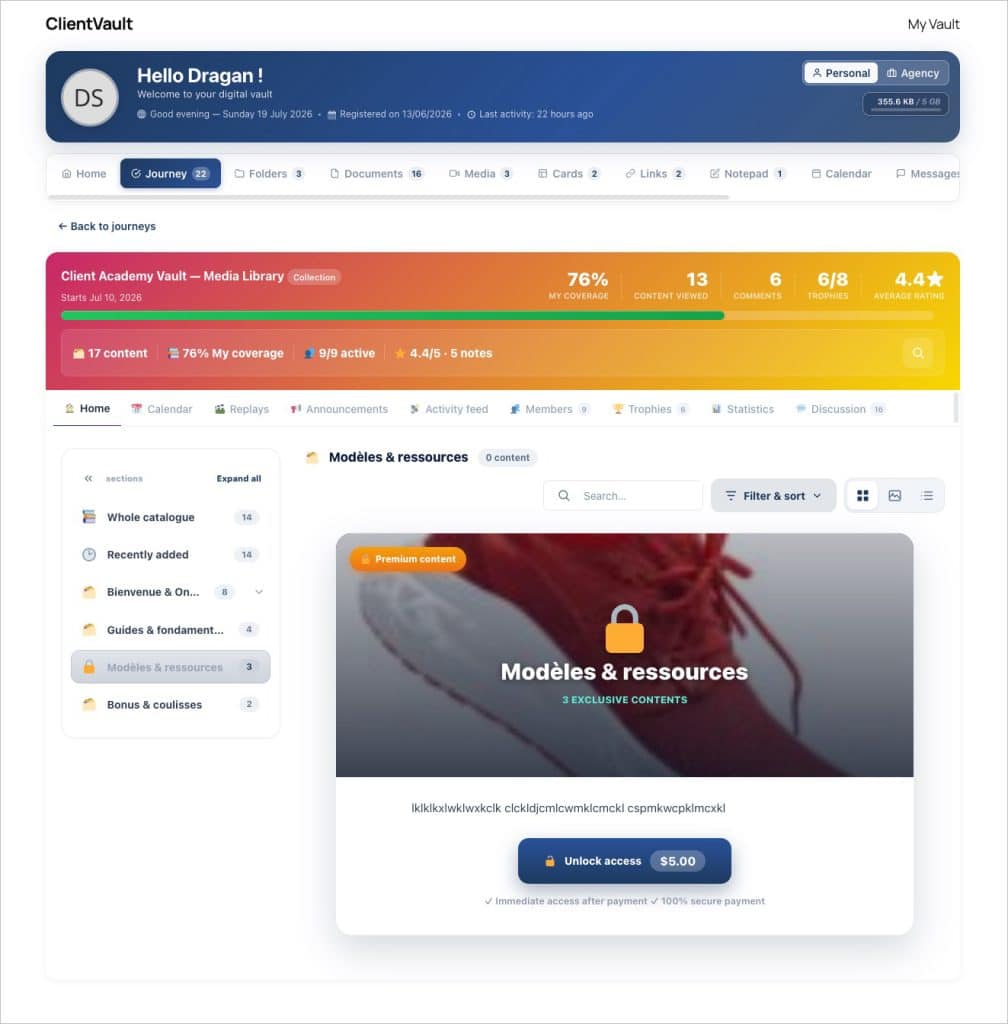
A Collection is not all or nothing. Each section can be offered, reserved, or sold. Out-of-scope sections do not disappear: they appear locked, with a presentation panel — your pitch, written in a rich editor — and an “Unlock Access” button at the price of the linked FluentCart product. Payment opens in an integrated window, and upon purchase, the section unlocks without reloading. The buyer becomes a full participant: they can comment, rate, appear in statistics — but only see what they have purchased.
On the FluentCRM side, two automation actions (“Unlock” and “Revoke a Collection”, down to the sub-section level) and a trigger (“Collection Access Granted”) allow for complete scenario planning: a tag opens a section, a subscription end closes it, a welcome email is sent at the right time. Without any manual intervention.
For WordPress agencies deploying Client Vault for their clients: the catalog’s REST API allows for creating sections and referencing content by program, with an idempotent external reference for imports — a reproducible deployment from one site to another. FluentCart and FluentCRM hooks are documented, and the configuration of a Collection (such as its protection) can naturally be re-invoiced as a service.
Measure: know what is actually viewed
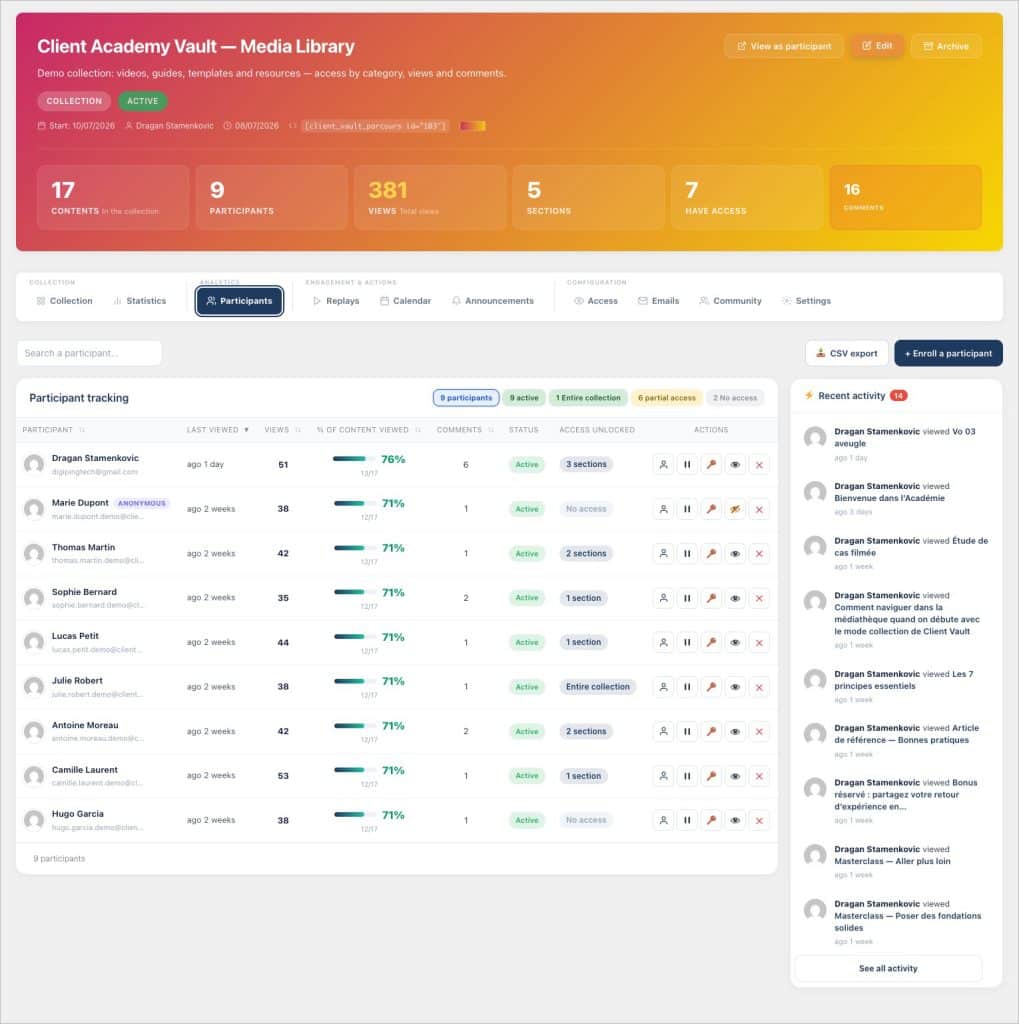
Broadcasting without measuring is publishing into a void. The Collection replaces the notion of progression with that of coverage: what percentage of the catalog has each participant actually consulted? You see the most viewed, most commented, highest-rated content, engagement by section, the distribution of 1 to 5-star ratings, and details per participant.
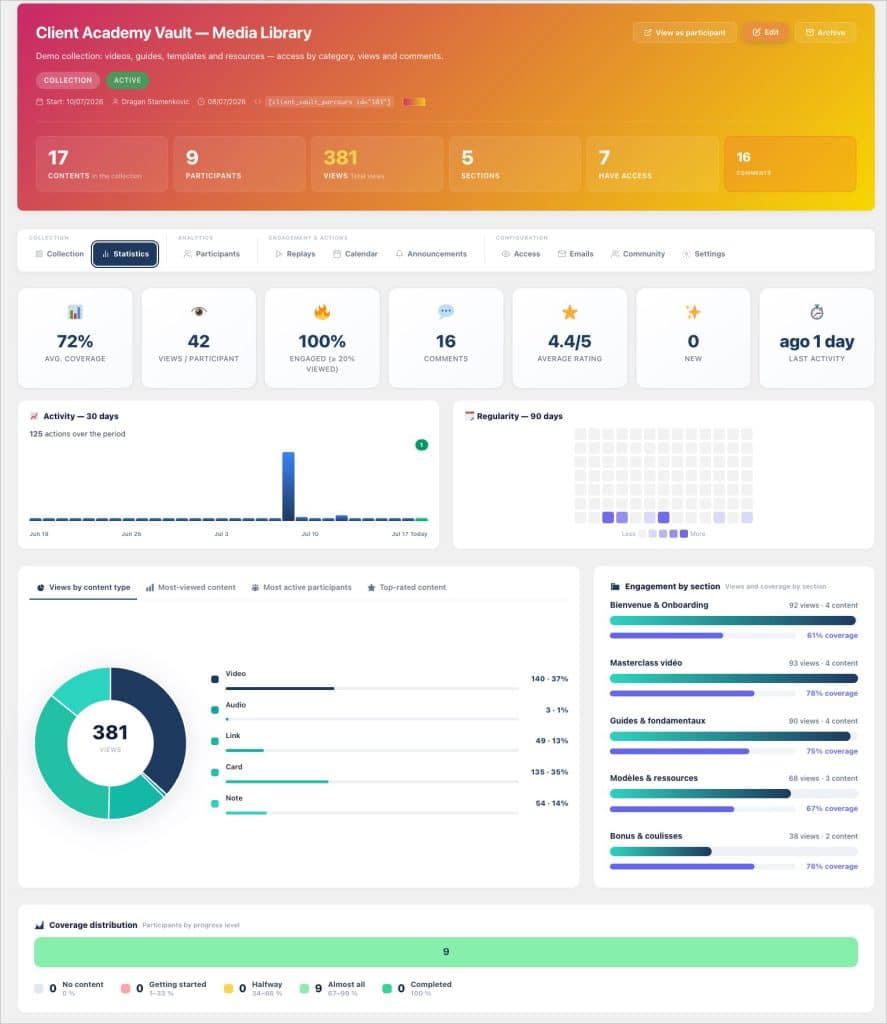
Each member has their record: consulted content, given ratings, comments, comparison with the group average, internal notes and tags — with one-click email reminder, CSV/PDF export, and consultation certificate.
On the client side, everyone tracks their own coverage, diligence, and trophies: adaptive tiers based on catalog size (25, 50, 75, 100% consulted), the first discovery, the completed section, the first comment, or multi-week diligence — awarded automatically, without over-notifying.
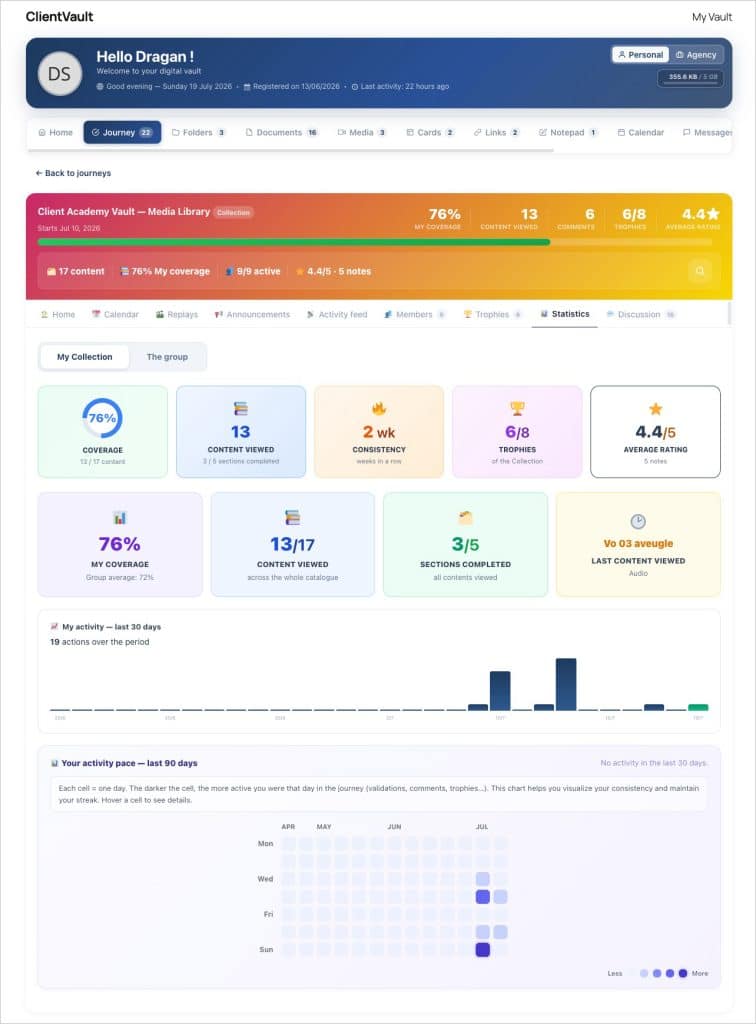
Rating plays a dual role: it guides your clients (sort “Highest Rated”, filter by minimum rating) and it guides you — poorly rated content is a signal for improvement that neither views nor comments provide.
Our course remains steady
Everything I’ve just described runs on your WordPress server. Videos, notes, statistics, access: nothing passes through a service I would control, and I see none of your data. This is the founding principle of Client Vault, and the Collection takes it further — because it is precisely on content distribution that the market pushes you towards captive, subscription-billed platforms that host your business assets themselves.
One acknowledged limitation to conclude: a Collection remains today a private space. Your clients must be logged in and registered to access it — there is not yet a publicly viewable catalog. This opening will come with Tunnel mode, planned on the roadmap; I prefer to build public viewing once, properly, rather than patching it together now.
Next Step
Collection mode is available now in version 20.22.503, and the installation wizard can generate a complete demo Collection to try it in real conditions. If you want to see how a protected and monetizable catalog is installed on your own site, book a video demo — and find details of offers and prices, with no hidden subscription.
Frequently asked questions
What is Collection mode in Client Vault ?
It’s a type of journey designed as a content catalog: videos, audio, images, PDFs, links, and fact sheets, organized into sections, which your clients can consult freely, without imposed steps. Access is granted or sold section by section.
What is the difference between a Collection and a group journey ?
A group journey guides a cohort through ordered steps, with deadlines and validations. A Collection offers a catalog for free consultation: no steps, but a coverage (the percentage of content viewed), a rating, and access sold by section.
Can access to a single section be sold ?
Yes. Each section can be linked to a FluentCart product: it appears locked with your sales pitch and an integrated purchase button. Upon purchase, access opens automatically and the buyer becomes a participant, without seeing other sections.
Can my clients comment on Collection content ?
Yes. Each content item has its own discussion, with responses in text, video, audio, or screenshot, and three levels of visibility: public, private (reserved for the Advisor), or anonymous. Comments can also be disabled per Collection.
Can the contents of a Collection be downloaded?
No. Files are encrypted on your server and served via a short-lived signed stream: no public URL, no download button, PDFs without toolbars, and an anti-hotlink control blocks playback from another site.
Does the watermark work on videos?
Yes: on videos, images, and PDFs. The identity of the logged-in viewer (name, email, date, traceable ID) scans the content in a discreet line. It is configured per Collection. This is deterrent and traceable, but it is not hardware DRM: filming a screen is still possible.
Can a Collection be viewed publicly?
Not yet. A Collection is a private space: you must be logged in and registered to access it. Public viewing will arrive with Tunnel mode, planned on the roadmap.
How can I quickly try Collection mode?
The installation assistant offers to generate a complete demonstration Collection: sections, varied content, participants at different stages, notes, and comments. You can see the module in real conditions in a few minutes, on your own site.